How to Convert YAML to JSON (and Back)
How to convert YAML to JSON and JSON to YAML — online, command line, Python, Node.js. Covers type coercion gotchas, multi-document YAML, and round-trip fidelity.
You have a Kubernetes config in YAML and need to pass it to an API that expects JSON. Or you’ve received a JSON payload from an API and want to edit it in YAML because it’s easier to read and supports comments. Or your CI pipeline outputs YAML and your validation tool expects JSON. Converting between YAML and JSON is a routine task, but the conversion isn’t always lossless — YAML has types and features that JSON can’t represent, and getting the conversion wrong causes subtle bugs.
This post covers every method for converting YAML to JSON and JSON to YAML — online tools, command line, Python, and Node.js — and the edge cases that trip developers up.
TL;DR: Paste your YAML or JSON into GoGood.dev XML/YAML Converter, select direction, and get the converted output instantly. For the command line:
yq -o json config.yamlconverts YAML to JSON;yq -o yaml config.jsongoes the other way.
Why convert between YAML and JSON
YAML and JSON represent the same data model — both are serialization formats for nested key-value structures, arrays, and scalar values. YAML is a superset of JSON: valid JSON is valid YAML. But the reverse isn’t true — YAML has features JSON lacks.
Common conversion scenarios:
- Kubernetes → API: K8s configs are YAML; many API endpoints expect JSON bodies
- Config editing: JSON doesn’t support comments; developers often convert to YAML to edit, then back to JSON for deployment
- Tool interop: Helm charts, Ansible playbooks, and GitHub Actions workflows are YAML; JSON Schema validators, API clients, and log aggregators expect JSON
- Data pipeline: ETL tools that output JSON feeding into YAML-based config systems
The conversion is straightforward for basic structures. The complexity comes from YAML-specific features — anchors, multi-document files, implicit type coercion — that have no JSON equivalent.
How to convert YAML to JSON online
GoGood.dev XML/YAML Converter auto-detects the input format. Paste YAML and it converts to JSON; paste JSON and it converts to YAML:
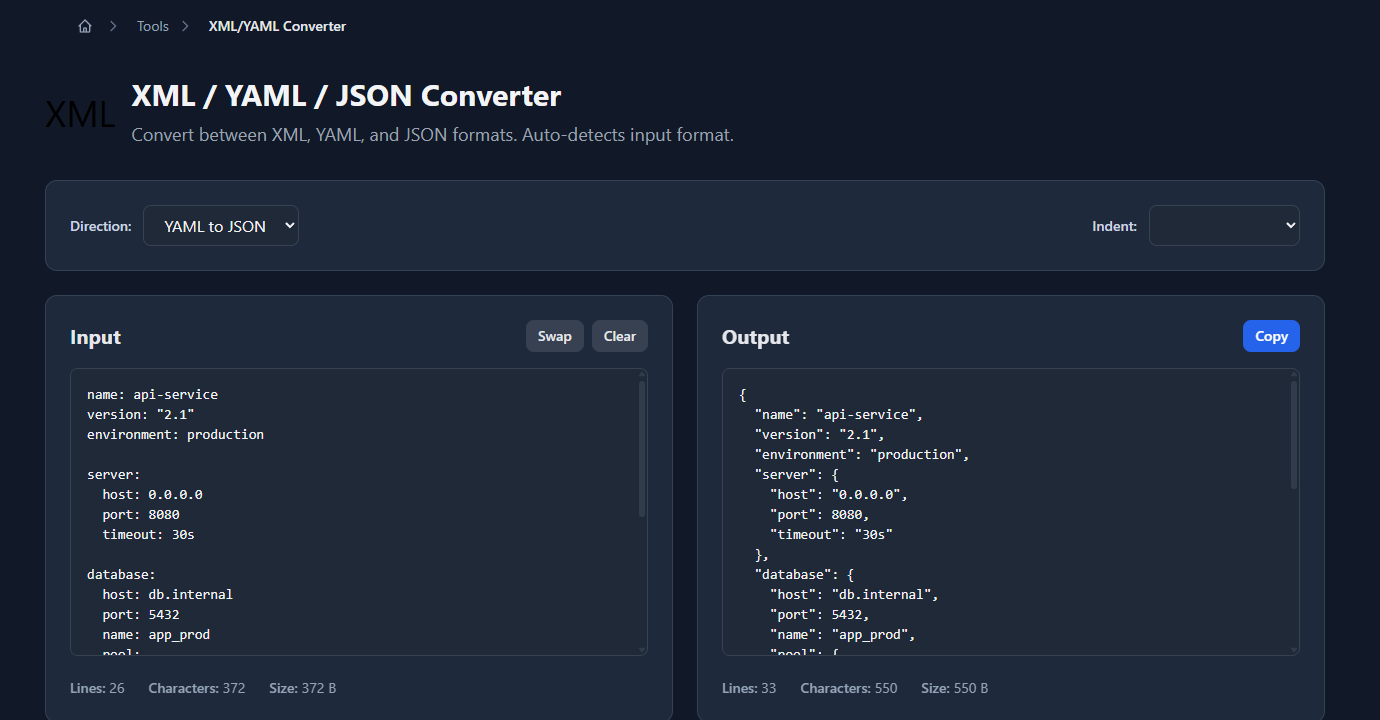
The JSON output appears in the right panel immediately, with consistent 2-space indentation:
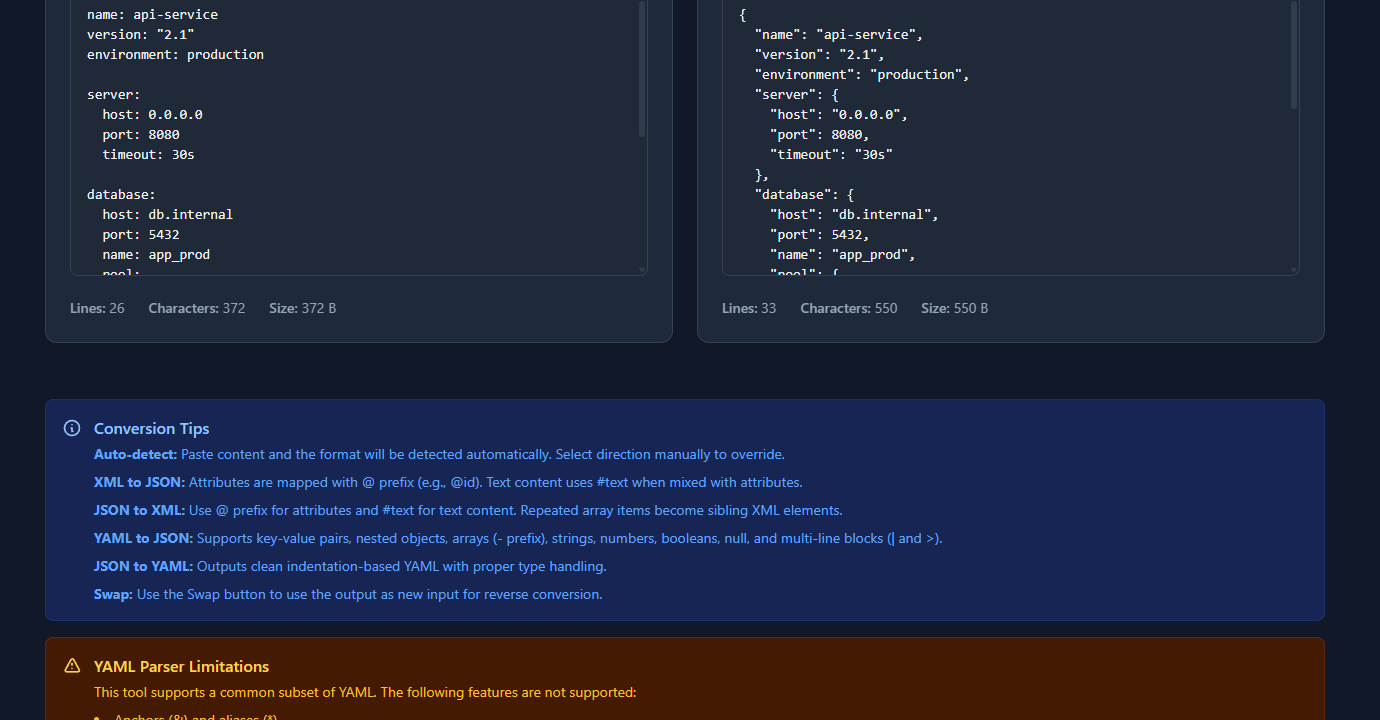
Select “JSON to YAML” from the direction dropdown to reverse the conversion. The Swap button exchanges input and output panels so you can convert in both directions without re-pasting.
Command line conversion
yq — the standard YAML CLI tool
yq is the jq equivalent for YAML. It reads YAML and can output JSON:
# YAML to JSON
yq -o json config.yaml

# JSON to YAML
yq -o yaml config.json

# YAML to JSON, write to file
yq -o json config.yaml > config.json

# Pipe — convert inline
cat deployment.yaml | yq -o json

# Pretty-print with 2-space indent (default)
yq -o json --indent 2 config.yaml

# Compact JSON output
yq -o json -I 0 config.yaml
Install: brew install yq (macOS), snap install yq (Linux), choco install yq (Windows).
Note: there are two yq tools — mikefarah/yq (Go, recommended) and kislyuk/yq (Python wrapper around jq). The commands above use mikefarah/yq. The Python version uses slightly different flags.
python -c one-liner
Python’s standard library has both yaml (via PyYAML) and json modules:
# YAML to JSON (requires PyYAML: pip install pyyaml)
python -c "import yaml, json, sys; print(json.dumps(yaml.safe_load(sys.stdin), indent=2))" < config.yaml

# JSON to YAML
python -c "import yaml, json, sys; print(yaml.dump(json.load(sys.stdin), default_flow_style=False))" < config.json
jq (JSON to YAML only via helper)
jq reads JSON natively but doesn’t output YAML. For JSON → YAML on the command line, use yq or Python.
Convert YAML to JSON in Python
import yaml
import json

# YAML string to JSON string
yaml_content = """
name: api-service
version: "2.1"
server:
  host: 0.0.0.0
  port: 8080
features:
  auth_v2: true
  beta: false
allowed_origins:
  - https://app.example.com
  - https://admin.example.com
"""

data = yaml.safe_load(yaml_content)
json_output = json.dumps(data, indent=2)
print(json_output)

# From file
with open('config.yaml', 'r') as f:
    data = yaml.safe_load(f)

with open('config.json', 'w') as f:
    json.dump(data, f, indent=2)
JSON to YAML:
import yaml
import json

with open('config.json', 'r') as f:
    data = json.load(f)

yaml_output = yaml.dump(data, default_flow_style=False, allow_unicode=True)
print(yaml_output)
default_flow_style=False produces block style (human-readable with indentation). Without it, simple structures get condensed to inline format.
Convert YAML to JSON in Node.js
// npm install js-yaml
const yaml = require('js-yaml');
const fs = require('fs');

// YAML string to JS object to JSON
const yamlContent = fs.readFileSync('config.yaml', 'utf8');
const data = yaml.load(yamlContent);
const jsonOutput = JSON.stringify(data, null, 2);
console.log(jsonOutput);

// File to file
fs.writeFileSync('config.json', jsonOutput);
JSON to YAML:
const yaml = require('js-yaml');
const fs = require('fs');

const data = JSON.parse(fs.readFileSync('config.json', 'utf8'));
const yamlOutput = yaml.dump(data, { indent: 2 });
fs.writeFileSync('config.yaml', yamlOutput);
As a one-liner in Node.js:
node -e "const y=require('js-yaml'),fs=require('fs'); console.log(JSON.stringify(y.load(fs.readFileSync('config.yaml','utf8')),null,2))"YAML features that don’t survive JSON conversion
YAML has capabilities JSON lacks. When converting YAML → JSON, these are lost:
Comments
# YAML supports comments — this entire line is lost in JSON
server:
  port: 8080  # this comment is also lost
Comments have no JSON equivalent. They’re silently dropped during conversion. If you’re converting back to YAML later, comments won’t be there.
Anchors and aliases
# YAML anchors allow value reuse
defaults: &defaults
  timeout: 30
  retries: 3

production:
  <<: *defaults    # merges defaults
  host: prod.example.com
When converted to JSON, anchors are resolved and the values are inlined:
{
  "defaults": { "timeout": 30, "retries": 3 },
  "production": { "timeout": 30, "retries": 3, "host": "prod.example.com" }
}
The deduplication is gone. If you convert this JSON back to YAML, you get two separate objects with duplicated values — not the original anchor structure.
Multi-document YAML
YAML supports multiple documents in one file separated by ---:
---
name: service-a
port: 8080
---
name: service-b
port: 8081
JSON has no multi-document format. Most converters either take only the first document, produce an array, or throw an error. Check what your converter does with --- separators.
YAML type coercion gotchas
YAML performs implicit type inference that JSON avoids:
# These YAML values have unexpected types after conversion
yes: true          # boolean true (not the string "yes")
no: false          # boolean false
null: null         # null (not the string "null")
1.0: float         # float
0x1F: 31           # hex integer — converts to 31
date: 2024-01-15   # may become a date object in some parsers
version: 2.0       # float (not string "2.0") — loses trailing zero
The version field is a common trap. version: 2.0 in YAML is the float 2.0, which JSON serializes as 2 (no trailing zero). If you need "2.0" as a string in JSON, quote it in YAML: version: "2.0".
# Force string types with quotes
version: "2.0"     # string "2.0" — preserved through conversion
api_key: "true"    # string "true" — not boolean
port: "8080"       # string "8080" — not integer
Common conversion problems
“The output JSON has integers where I expected strings”
YAML coerces unquoted values. port: 8080 becomes the integer 8080 in JSON, not the string "8080". Quote values in YAML if they need to be strings: port: "8080".
“My multi-document YAML only converted the first document”
Most simple converters take the first YAML document when multiple are present. Use yq to split and convert each document: yq -s '.[]' multi.yaml splits into separate files; then convert each individually.
“Boolean values are different after round-trip”
YAML parsers recognize yes, no, on, off, true, false as booleans (YAML 1.1 spec). After converting to JSON (where only true/false are boolean), then back to YAML, yes becomes true. If your downstream tool expects yes, quote it in the original YAML: enabled: "yes".
“The converted YAML has different indentation than expected”
YAML doesn’t mandate a specific indent size — 2 spaces is conventional. Different converters use different defaults. Most allow configuring indent. yaml.dump(..., indent=4) in Python, yq --indent 4, or selecting “4 spaces” in online tools.
FAQ
Is YAML a superset of JSON?
Yes, in practice. Valid JSON is valid YAML — any JSON file can be parsed by a YAML parser. The reverse isn’t true: YAML has features (comments, anchors, multi-document) that JSON can’t represent. This is why converting JSON to YAML is always lossless, but YAML to JSON may drop comments and flatten anchors.
How do I convert YAML to JSON on the command line?
Install yq (brew install yq) and run yq -o json config.yaml. Alternatively, if you have Python and PyYAML installed: python -c "import yaml,json,sys; print(json.dumps(yaml.safe_load(sys.stdin),indent=2))" < config.yaml.
Why does my YAML version number change in JSON?
version: 2.0 in YAML is parsed as the float 2.0, which JSON serializes as 2. The trailing zero is lost. Fix: quote the version string in YAML: version: "2.0". This forces string type and the value is preserved exactly.
Can I convert Kubernetes YAML to JSON?
Yes. K8s YAML is standard YAML and converts cleanly to JSON. The Kubernetes API actually accepts JSON directly — kubectl sends JSON internally. You can use yq -o json deployment.yaml to convert, or use kubectl itself: kubectl get deployment my-deploy -o json.
What happens to YAML anchors when converting to JSON?
Anchors (&name) and aliases (*name) are resolved during conversion — the referenced values are inlined at each alias. The resulting JSON contains the full expanded values with no reference to the original anchor structure. Round-tripping back to YAML produces separate copies, not anchors.
YAML and JSON represent the same data — the conversion is reliable for simple configs. The edge cases (type coercion, anchors, comments) matter when the converted output feeds a strict system or when you need round-trip fidelity. Quote values that must be strings, use yaml.safe_load instead of yaml.load in Python, and test the output before deploying.
For related tooling: JSON Formatter Guide: Why Formatting Matters covers the formatting step that follows conversion, and How to Validate JSON Online shows how to verify the output is valid JSON before using it.