SQL Query Formatting: Why It Matters and How to Do It
SQL query formatter guide — format messy SQL for readability, debug complex queries faster, enforce team style standards, and the tools that do it right.
You’re reviewing a pull request that changes a query. The SQL is one unbroken line, 800 characters wide. You can’t read it. Or you’re debugging a slow query from application logs — it arrived as a minified string with no whitespace. Or you’re inheriting a legacy codebase where every developer had a different indentation style. In all of these cases, the problem isn’t the SQL itself — it’s the formatting.
SQL query formatting transforms dense, hard-to-read queries into structured, scannable code. It’s the same principle as code formatting for any other language: consistent indentation and capitalization make logic visible. This post covers when formatting matters, how to apply it in every environment, and the formatting decisions teams argue about (and how to settle them).
TL;DR: Paste any SQL query into GoGood.dev SQL Formatter — choose your dialect (PostgreSQL, MySQL, SQL Server), keyword casing, and indent size, and get formatted output instantly. For automated formatting in code:
sql-formatternpm package orsqlfluffin Python.
What SQL formatting does
SQL formatting applies consistent rules to the whitespace and capitalization in a query, making structure visible without changing the query’s behavior. A formatter typically handles:
- Keyword casing:
SELECT,FROM,WHERE,JOINin uppercase (convention) or lowercase - Indentation: each clause on its own line, nested subqueries indented
- Line breaks: one clause per line, conditions aligned
- Comma placement: leading or trailing commas in SELECT lists
Before formatting:
select u.name,u.email,o.total,o.created_at from users u inner join orders o on u.id=o.user_id left join addresses a on u.id=a.user_id where o.total>100 and o.status='completed' order by o.created_at desc limit 50After formatting:
SELECT
  u.name,
  u.email,
  o.total,
  o.created_at
FROM users u
INNER JOIN orders o ON u.id = o.user_id
LEFT JOIN addresses a ON u.id = a.user_id
WHERE
  o.total > 100
  AND o.status = 'completed'
ORDER BY o.created_at DESC
LIMIT 50
The query is identical in behavior. The structure is now immediately readable: you can see the selected columns, the join chain, the filter conditions, and the ordering without parsing a long string character by character.
Format SQL online
GoGood.dev SQL Formatter supports multiple dialects and gives you control over keyword casing and indent size. Load a sample or paste your query:
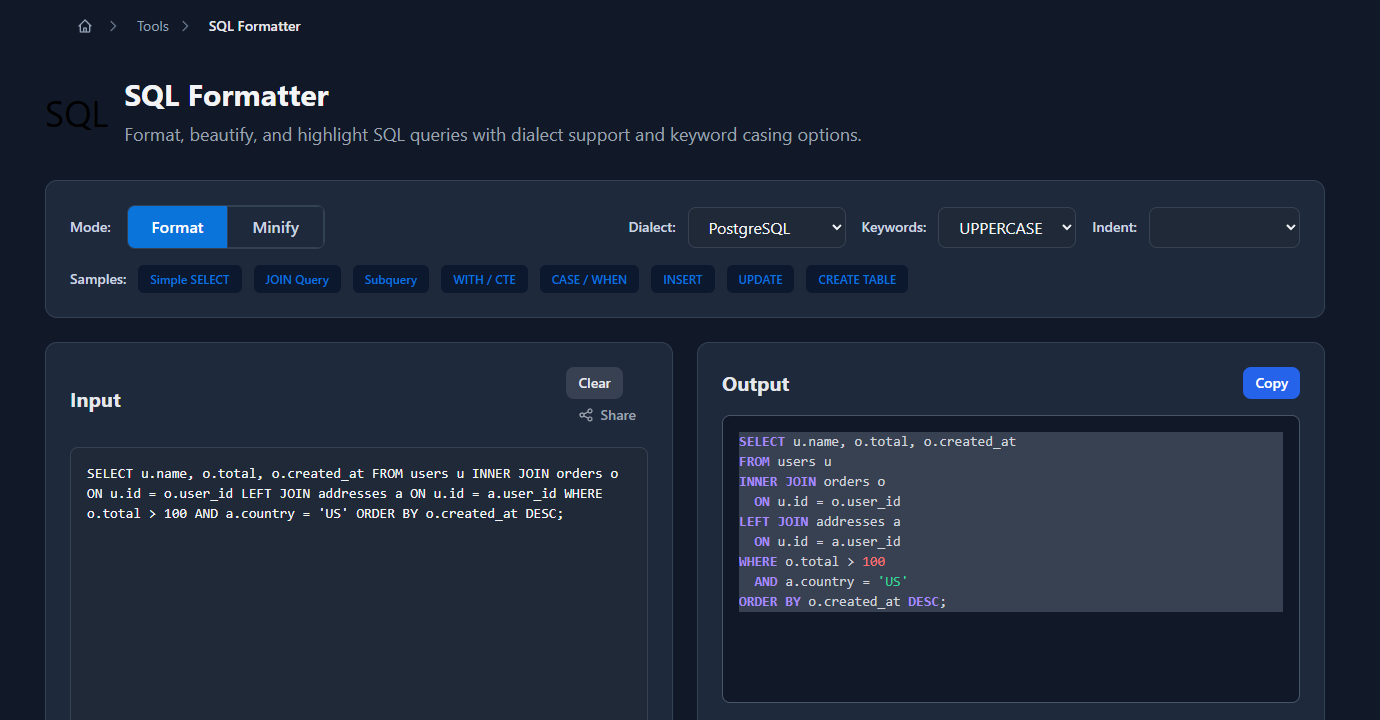
The formatted output appears in the right panel, ready to copy:
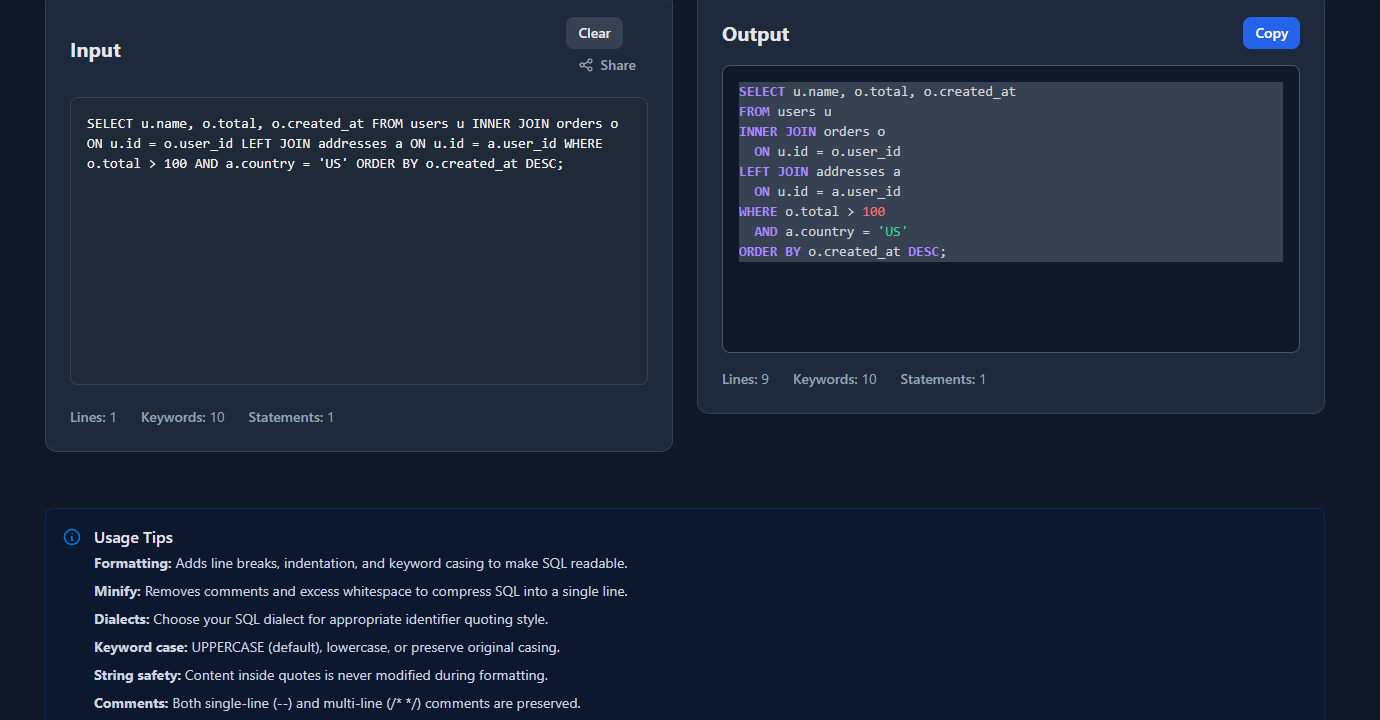
Dialect selection matters for queries that use dialect-specific syntax — PostgreSQL-specific functions, MySQL’s backtick quoting, or SQL Server’s bracket identifiers format differently.
Format SQL in your application code
When SQL is constructed or logged in application code, you often need to format it programmatically for readability or debugging.
Node.js — sql-formatter
npm install sql-formatterimport { format } from 'sql-formatter';
const rawSql = `select u.name,u.email,o.total from users u inner join orders o on u.id=o.user_id where o.total>100 order by o.created_at desc`;
const formatted = format(rawSql, {
language: 'postgresql', // 'mysql' | 'sql' | 'tsql' | 'postgresql'
tabWidth: 2,
keywordCase: 'upper',
linesBetweenQueries: 2
});
console.log(formatted);Output:
SELECT
  u.name,
  u.email,
  o.total
FROM users u
INNER JOIN orders o ON u.id = o.user_id
WHERE
  o.total > 100
ORDER BY o.created_at DESC
Format SQL before logging in development:
import { format } from 'sql-formatter';

function logQuery(sql, params) {
  if (process.env.NODE_ENV === 'development') {
    console.log('Query:', format(sql, { language: 'postgresql' }));
    console.log('Params:', params);
  }
}
Python — sqlfluff and sqlparse
pip install sqlparse  # simpler, no config
pip install sqlfluff  # more powerful, linting + formatting
import sqlparse
raw_sql = "select u.name,u.email,o.total from users u inner join orders o on u.id=o.user_id where o.total>100"
formatted = sqlparse.format(
raw_sql,
reindent=True,
keyword_case='upper',
identifier_case='lower',
indent_width=2
)
print(formatted)sqlfluff is more powerful — it lints SQL against dialect-specific rules and can auto-fix issues:
# Format a file
sqlfluff fix query.sql --dialect postgres

# Lint without fixing
sqlfluff lint query.sql --dialect postgres
Command line with sqlfluff
# Install
pip install sqlfluff

# Format stdin
echo "select id,name from users where active=true" | sqlfluff fix - --dialect postgres

# Format a file in-place
sqlfluff fix migrations/001_create_users.sql --dialect mysql

# Check formatting without changing (for CI)
sqlfluff lint migrations/ --dialect postgres
SQL formatting conventions that matter
Keyword casing
SQL keywords are case-insensitive — select, SELECT, and Select all work. The convention in most teams is uppercase keywords:
-- ✅ Conventional — keywords uppercase, identifiers lowercase
SELECT id, name, email
FROM users
WHERE active = true
ORDER BY created_at DESC;

-- ❌ Inconsistent — mixing cases is the worst option
Select id, Name, Email
From users
Where Active = True;
Some teams use lowercase keywords (particularly in PostgreSQL environments where users write a lot of psql). The key is consistency — pick one and enforce it with a formatter.
Clause-per-line vs inline
Short queries can stay on one line:
SELECT id FROM users WHERE id = $1;Complex queries should break each clause to its own line:
SELECT
  u.id,
  u.name,
  COUNT(o.id) AS order_count,
  SUM(o.total) AS lifetime_value
FROM users u
LEFT JOIN orders o ON u.id = o.user_id
WHERE u.created_at >= '2024-01-01'
GROUP BY u.id, u.name
HAVING COUNT(o.id) > 0
ORDER BY lifetime_value DESC
LIMIT 100;
The threshold is roughly “if it doesn’t fit on one readable line, break it.”
Leading vs trailing commas in SELECT
Trailing commas (more common):
SELECT
  id,
  name,
  email,
  created_at
FROM users;
Leading commas (easier to add/remove the last item):
SELECT
    id
  , name
  , email
  , created_at
FROM users;
Leading commas make it trivial to comment out any column without touching adjacent lines. It’s a reasonable choice but looks unusual to developers coming from other languages. Most formatters default to trailing commas.
JOIN alignment
-- Aligned — easier to scan join chain
SELECT *
FROM orders o
INNER JOIN users u       ON o.user_id = u.id
INNER JOIN products p    ON o.product_id = p.id
LEFT  JOIN discounts d   ON o.discount_id = d.id
WHERE o.status = 'completed';
Alignment on the ON keyword makes the join conditions easy to scan vertically.
Where SQL formatting matters most
Code review: unformatted SQL makes review impractical. A multi-table JOIN query in a single line requires the reviewer to mentally parse it before they can evaluate its correctness. Format before committing.
ORM-generated query debugging: ORMs like SQLAlchemy, ActiveRecord, and Prisma often log queries as one-liners. Paste them into a formatter before analyzing for N+1 issues or missing indexes.
Migration files: SQL migration files live in version control. They should be readable — formatted and consistently styled — so developers can understand what changed.
Query plan analysis: When using EXPLAIN ANALYZE in PostgreSQL or EXPLAIN FORMAT=JSON in MySQL, the query in the plan output is often the ORM-generated string. Format it to match the plan’s structure.
Common formatting mistakes
Formatting dialect mismatch: PostgreSQL uses $1, $2 for parameters; MySQL uses ?; SQL Server uses @param. Formatting a query in the wrong dialect can produce output that looks correct but contains subtly wrong syntax for your target database.
Formatting dynamic SQL with interpolated values: Never paste SQL with actual values into a formatter if it contains sensitive data. For debugging, use parameterized placeholders ($1, ?, :param) rather than inlining the actual values.
Auto-formatting breaking intentional alignment: Sometimes developers align column definitions in CREATE TABLE statements for readability:
CREATE TABLE users (
  id         BIGSERIAL    PRIMARY KEY,
  name       VARCHAR(255) NOT NULL,
  email      VARCHAR(255) NOT NULL UNIQUE,
  created_at TIMESTAMPTZ  NOT NULL DEFAULT NOW()
);
Some formatters will collapse this to standard indentation. Disable auto-format for DDL files if you want to preserve intentional alignment.
FAQ
Does SQL formatting affect query performance?
No. SQL formatting only changes whitespace and capitalization — both of which are ignored by the query parser. A formatted query and its minified equivalent produce identical execution plans. Formatting is purely for human readability.
What’s the best SQL formatter for VS Code?
The “SQL Formatter” extension (by adpyke) or the “SQLTools” extension with formatting support. Both support multiple dialects and format on save. Configure your dialect in the extension settings to get dialect-accurate keyword handling.
How do I enforce SQL formatting in CI?
Use sqlfluff lint in your pipeline. Configure a .sqlfluff file in your repo root:
[sqlfluff]
dialect = postgres
templater = jinja
max_line_length = 120

[sqlfluff:rules:capitalisation.keywords]
capitalisation_policy = upper
Then add to CI: sqlfluff lint sql/ --dialect postgres — it exits non-zero if formatting violations are found.
What’s the difference between SQL formatting and SQL linting?
Formatting fixes whitespace, indentation, and keyword casing — purely cosmetic. Linting checks for potential issues: unused aliases, ambiguous column references, dialect-specific anti-patterns, or style violations. sqlfluff does both; sqlparse and sql-formatter only format.
Should I format SQL in my ORM models?
Yes, but most ORMs have their own conventions. Django ORM and SQLAlchemy generate SQL from Python — format the Python, not the generated SQL. For raw SQL in .raw() or text() calls, format those strings. Store long raw SQL in dedicated .sql files rather than multi-line Python strings.
SQL formatting is the lowest-effort, highest-payoff code hygiene practice for database-heavy projects. Set up auto-format on save in your editor, add sqlfluff lint to CI for migration files, and paste any query you need to debug into a formatter before reading it. The ten seconds it takes to format saves minutes of mental parsing.
For related tooling: How to Convert YAML to JSON (and Back) covers config format conversions that often sit alongside database config, and JSON Formatter Guide: Why Formatting Matters covers the same readability principles applied to JSON payloads.