SHA-256 vs MD5: Which Hash Should You Use?
SHA-256 vs MD5 compared — collision resistance, speed, output size, and when to use each. MD5 is broken for security; SHA-256 is the standard. Here's when each applies.
You need to hash something — a file, a password, a request body — and you’re choosing between SHA-256 and MD5. MD5 is faster and its output is shorter. SHA-256 is the current standard. The question isn’t really about speed or output size: it’s about what you’re using the hash for. MD5 is cryptographically broken for any security application, but it’s still useful for non-security purposes like checksums and caching. SHA-256 is the default for everything that touches security.
This post covers what SHA-256 and MD5 actually do, where each belongs, and the specific use cases where you should reach for something else entirely (like bcrypt for passwords).
TL;DR: Use SHA-256 for file integrity, API request signing, and HMAC. Never use MD5 for anything security-related — it’s collision-vulnerable. For passwords, use bcrypt, Argon2, or scrypt — not SHA-256 or MD5. Generate hashes of any string at GoGood.dev Hash Generator.
What SHA-256 and MD5 are
Both are cryptographic hash functions: they take an arbitrary-length input and produce a fixed-length output. The output is deterministic (same input always produces same output), one-way (you can’t reverse it to get the input), and small changes in input produce completely different outputs (avalanche effect).
MD5:
- Output: 128 bits (32 hex characters)
- Speed: very fast
- Status: cryptographically broken — collisions are practical to generate
SHA-256:
- Output: 256 bits (64 hex characters)
- Speed: fast (slightly slower than MD5, imperceptible in most contexts)
- Status: secure — no known practical collision attacks
MD5("Hello, World!")    = 65a8e27d8879283831b664bd8b7f0ad4
SHA-256("Hello, World!") = dffd6021bb2bd5b0af676290809ec3a53191dd81c7f70a4b28688a362182986d
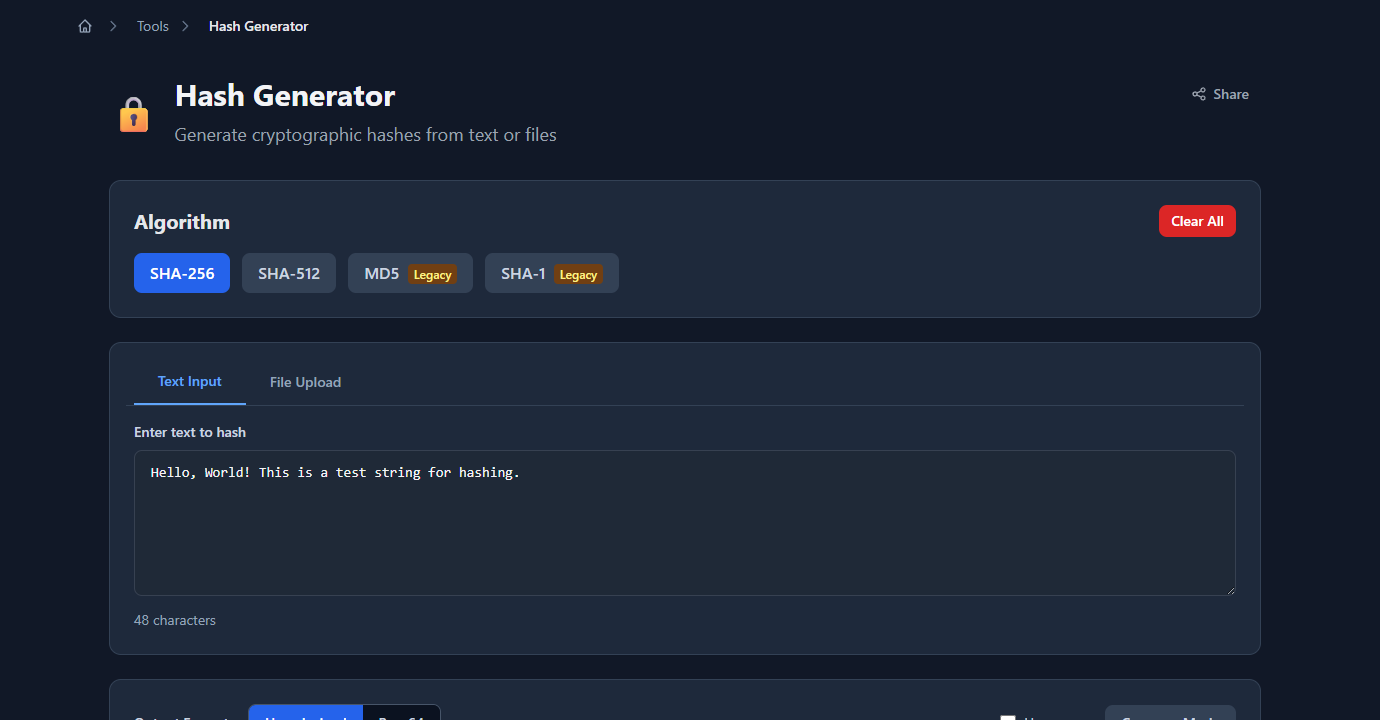
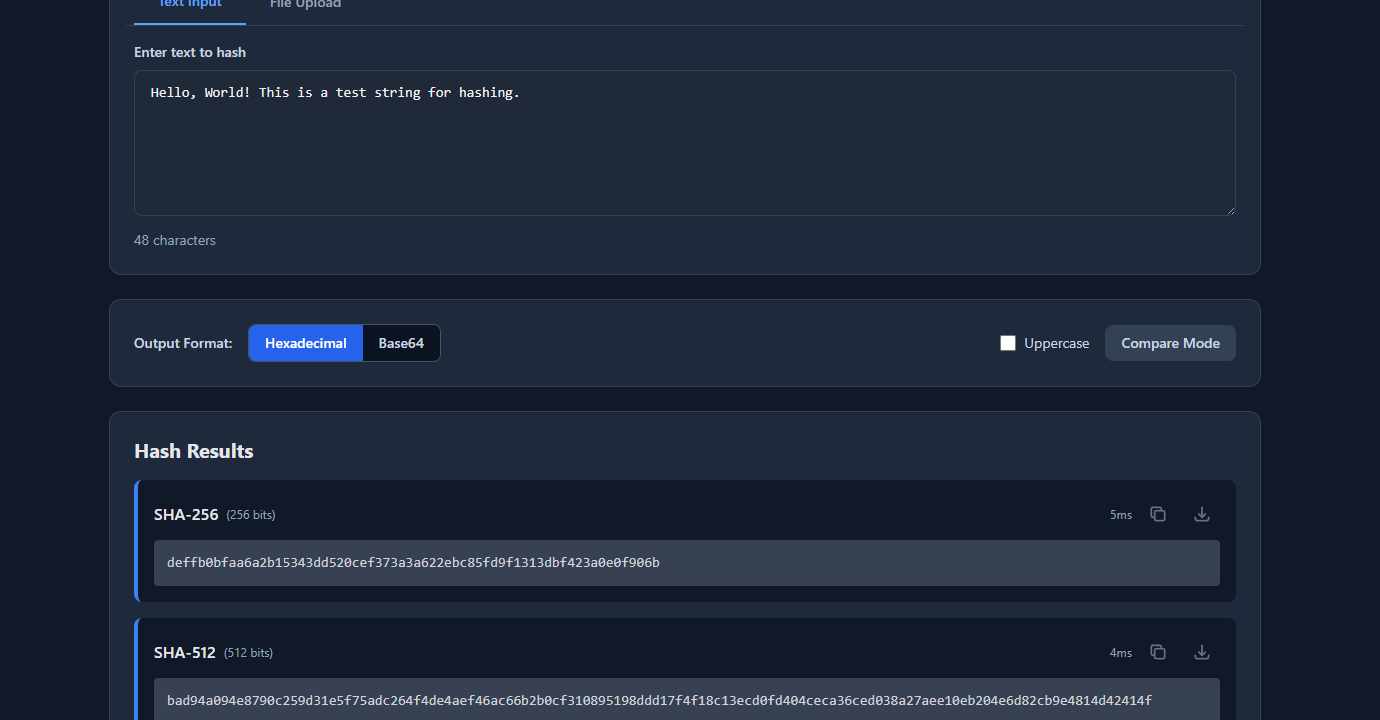
GoGood.dev Hash Generator generates both instantly:
The output for each algorithm appears immediately below:
Why MD5 is broken for security
In 2004, researchers demonstrated practical MD5 collision attacks — two different inputs that produce the same MD5 hash. By 2008, researchers created a rogue SSL certificate using an MD5 collision, demonstrating a real-world attack against certificate authorities that used MD5.
Collision attack: finding two different messages M1 and M2 such that MD5(M1) == MD5(M2). This breaks any system that relies on MD5 to detect tampering — an attacker can substitute a malicious file that has the same MD5 hash as a legitimate one.
Preimage attack: finding any message M such that MD5(M) == hash. MD5 is more resistant to preimage attacks than collision attacks, but rainbow tables have made MD5 preimage attacks practical for common strings (passwords, tokens).
SHA-256 has no known practical collision attacks. It’s part of the SHA-2 family (alongside SHA-224, SHA-384, SHA-512) and is the current NIST standard for general-purpose cryptographic hashing.
When to use SHA-256
File integrity verification: SHA-256 checksums verify that a file hasn’t been corrupted or tampered with during download or transmission.
# Generate a SHA-256 checksum
sha256sum release-v2.1.0.tar.gz
# dffd6021bb2bd5b0af676290809ec3a53191dd81c7f70a4b28688a362182986d  release-v2.1.0.tar.gz

# Verify against published checksum
echo "dffd6021... release-v2.1.0.tar.gz" | sha256sum --check
# release-v2.1.0.tar.gz: OK
HMAC request signing: authenticating API requests by signing the request body with a shared secret:
const crypto = require('crypto');

function signRequest(body, secret) {
  return crypto
    .createHmac('sha256', secret)
    .update(JSON.stringify(body))
    .digest('hex');
}

// On the sender side
const signature = signRequest(payload, process.env.WEBHOOK_SECRET);
const headers = { 'X-Signature-256': `sha256=${signature}` };

// On the receiver side (e.g. GitHub webhook verification)
function verifyWebhook(body, signature, secret) {
  const expected = `sha256=${signRequest(body, secret)}`;
  return crypto.timingSafeEqual(
    Buffer.from(signature),
    Buffer.from(expected)
  );
}
Content-addressable storage: hashing file contents to use as a cache key or deduplication key:
import hashlib

def file_hash(path: str) -> str:
    sha256 = hashlib.sha256()
    with open(path, 'rb') as f:
        for chunk in iter(lambda: f.read(65536), b''):
            sha256.update(chunk)
    return sha256.hexdigest()

# Use hash as a cache key or deduplication check
content_hash = file_hash('report.pdf')
# 'dffd6021bb2bd5b0af676290809ec3a53191dd81c7f70a4b28688a362182986d'
API key storage: store a SHA-256 hash of an API key, not the key itself. If the database is breached, the attacker can’t reverse the hash to get working keys (as long as the keys have sufficient entropy — which they do if generated with a CSPRNG as 32+ random bytes).
const crypto = require('crypto');

async function storeApiKey(plainKey) {
  const hash = crypto.createHash('sha256').update(plainKey).digest('hex');
  await db.query('INSERT INTO api_keys (key_hash) VALUES ($1)', [hash]);
}

async function verifyApiKey(plainKey) {
  const hash = crypto.createHash('sha256').update(plainKey).digest('hex');
  const result = await db.query('SELECT * FROM api_keys WHERE key_hash = $1', [hash]);
  return result.rows.length > 0;
}
When MD5 is still acceptable
Non-security checksums: verifying that a file transferred correctly over a reliable network (not adversarial) is fine with MD5. If you’re comparing files to detect accidental corruption (not intentional tampering), MD5 collisions don’t matter — random bit flips won’t produce a collision.
# Acceptable: checking download integrity on a trusted channel
md5sum downloaded-file.zip
# Compare to the md5 published by the same site
Cache keys and ETags: MD5 is fast and produces a compact 32-character string. Using it as a cache key for content (where the worst case of a collision is a stale cache hit, not a security breach) is fine.
import hashlib

def cache_key(content: str) -> str:
    return hashlib.md5(content.encode()).hexdigest()  # fine for caching, not security
Legacy system interoperability: some older systems or protocols still output MD5. If you’re checking against an MD5 provided by an external system you don’t control, you have no choice. Document the dependency and plan to migrate if it becomes a security requirement.
What to use for passwords (not SHA-256 or MD5)
Neither SHA-256 nor MD5 should be used to hash passwords. Both are fast — which is the problem. Password hashing must be slow by design to resist brute-force attacks. An attacker with a GPU can compute billions of SHA-256 hashes per second. A database of common passwords hashed with SHA-256 (a rainbow table) takes minutes to generate.
Use a password-specific hashing algorithm:
bcrypt — the standard choice for most applications:
const bcrypt = require('bcrypt');

// Hash a password (cost factor 12 = ~250ms on modern hardware)
const hash = await bcrypt.hash(password, 12);

// Verify
const valid = await bcrypt.compare(password, hash);
Argon2 — winner of the Password Hashing Competition (2015), preferred for new systems:
import argon2

ph = argon2.PasswordHasher(
    time_cost=2,      # iterations
    memory_cost=65536,  # 64 MB
    parallelism=2
)

hash = ph.hash(password)
valid = ph.verify(hash, password)
scrypt — available in most standard libraries:
const crypto = require('crypto');
const { promisify } = require('util');
const scrypt = promisify(crypto.scrypt);

const salt = crypto.randomBytes(16);
const key = await scrypt(password, salt, 64);
const hash = `${salt.toString('hex')}:${key.toString('hex')}`;
The key property these share: they’re tunable. You can increase the cost factor as hardware gets faster, keeping brute-force infeasible even as compute gets cheaper.
Quick reference
| Use case | Algorithm |
|---|---|
| File integrity (security-critical) | SHA-256 |
| HMAC request signing | SHA-256 |
| API key storage | SHA-256 |
| Content-addressed caching | SHA-256 or MD5 |
| Non-security checksums | MD5 acceptable |
| Password hashing | bcrypt / Argon2 / scrypt |
| TLS certificates | SHA-256 (SHA-1 deprecated, MD5 banned) |
| Code signing | SHA-256 |
| Git object hashing | SHA-1 (legacy) / SHA-256 (new) |
FAQ
Is MD5 safe to use in 2026?
For non-security applications (caching, checksums on trusted channels, legacy interop) — yes, MD5 is fine. For anything involving security (authentication, signatures, tamper detection in adversarial contexts, certificates) — no, MD5 is broken and should not be used.
Can SHA-256 be reversed to get the original input?
No. SHA-256 is a one-way function — there’s no mathematical way to reverse it. An attacker can only try inputs and compare outputs (brute force). For short or common inputs (passwords, PINs), rainbow tables make this practical, which is why password hashing uses bcrypt/Argon2 instead of SHA-256.
What’s the difference between SHA-256 and SHA-512?
Both are in the SHA-2 family and are secure. SHA-512 produces a 512-bit (128 hex character) output vs SHA-256’s 256-bit (64 hex character) output. SHA-512 is faster on 64-bit hardware for large inputs, but SHA-256 is sufficient and more widely supported. Use SHA-256 unless you have a specific reason for 512-bit output.
What is HMAC-SHA256?
HMAC (Hash-based Message Authentication Code) combines a hash function with a secret key to produce a message authentication code. HMAC-SHA256(key, message) proves both that the message hasn’t been tampered with and that the sender knows the secret key. Used for API request signing, webhook verification, and JWT signatures (HS256 algorithm).
Should I salt SHA-256 hashes?
For password hashing, you should use bcrypt/Argon2/scrypt which handle salting internally. If you’re using SHA-256 for something that requires a salt (e.g., a custom token derivation scheme), add a random salt: SHA-256(salt || data). For API keys and tokens with sufficient entropy (32+ random bytes), salting isn’t necessary — the entropy itself prevents rainbow table attacks.
SHA-256 is the practical default for any hash you need in a security context. MD5 is still useful for non-security applications where speed and compact output matter. For passwords specifically, neither applies — use bcrypt or Argon2 and let the library handle the details.
For related security tooling: How to Generate Secure Passwords Programmatically covers the CSPRNG-based generation that makes SHA-256 API key storage effective, and HS256 vs RS256: Which JWT Algorithm Should You Use? covers HMAC-SHA256 in the context of JWT signing.