HS256 vs RS256: Which JWT Algorithm Should You Use?
HS256 vs RS256 JWT algorithms explained — symmetric vs asymmetric signing, when to use each, key management tradeoffs, and how to check which algorithm a token uses.
You’re integrating an auth provider, or building one, and you need to choose a JWT signing algorithm. The two you’ll encounter most are HS256 and RS256. HS256 is simpler — one shared secret, zero infrastructure. RS256 requires a key pair, but it lets services verify tokens without access to the signing key. Which one you need depends on who’s signing the tokens and who needs to verify them.
This post covers how each algorithm works, the practical tradeoffs, and the decision criteria that should drive your choice — not the abstract cryptographic properties, but the operational realities of key sharing, multi-service architectures, and third-party token issuers.
TL;DR: Use HS256 for single-service apps where one service signs and verifies. Use RS256 when multiple services verify tokens, when you’re using a third-party identity provider (Auth0, Cognito, Okta), or when you need to publish a public key endpoint. Check which algorithm a token uses by decoding its header in GoGood.dev JWT Decoder.
How HS256 and RS256 work
Both algorithms produce a JWT signature — the third part of the header.payload.signature structure that lets a recipient verify the token wasn’t tampered with. The difference is the cryptographic approach.
HS256 — HMAC with SHA-256 (symmetric)
HS256 uses a single shared secret key. The same key is used to sign the token and to verify it:
signature = HMAC-SHA256(base64url(header) + "." + base64url(payload), secret)Anyone who knows the secret can both sign new tokens and verify existing ones. The secret never leaves the system — it’s a shared credential between the signer and verifier.
RS256 — RSA with SHA-256 (asymmetric)
RS256 uses a public/private key pair. The private key signs; the public key verifies:
signature = RSA-SHA256(base64url(header) + "." + base64url(payload), private_key)The private key stays on the auth server. The public key can be distributed freely — any service can verify tokens without being able to issue new ones. Identity providers typically publish their public keys at a JWKS (JSON Web Key Set) endpoint.
Checking which algorithm a token uses
The algorithm is in the JWT header, not the payload. You can read it by decoding the header (it’s just base64url-encoded JSON):
const [headerB64] = token.split('.');
const header = JSON.parse(atob(headerB64.replace(/-/g, '+').replace(/_/g, '/')));
console.log(header.alg);  // 'HS256' or 'RS256'
console.log(header.kid);  // key ID — only present with RS256/JWKS
Or paste the token into GoGood.dev JWT Decoder to see the header, payload, and algorithm at a glance:
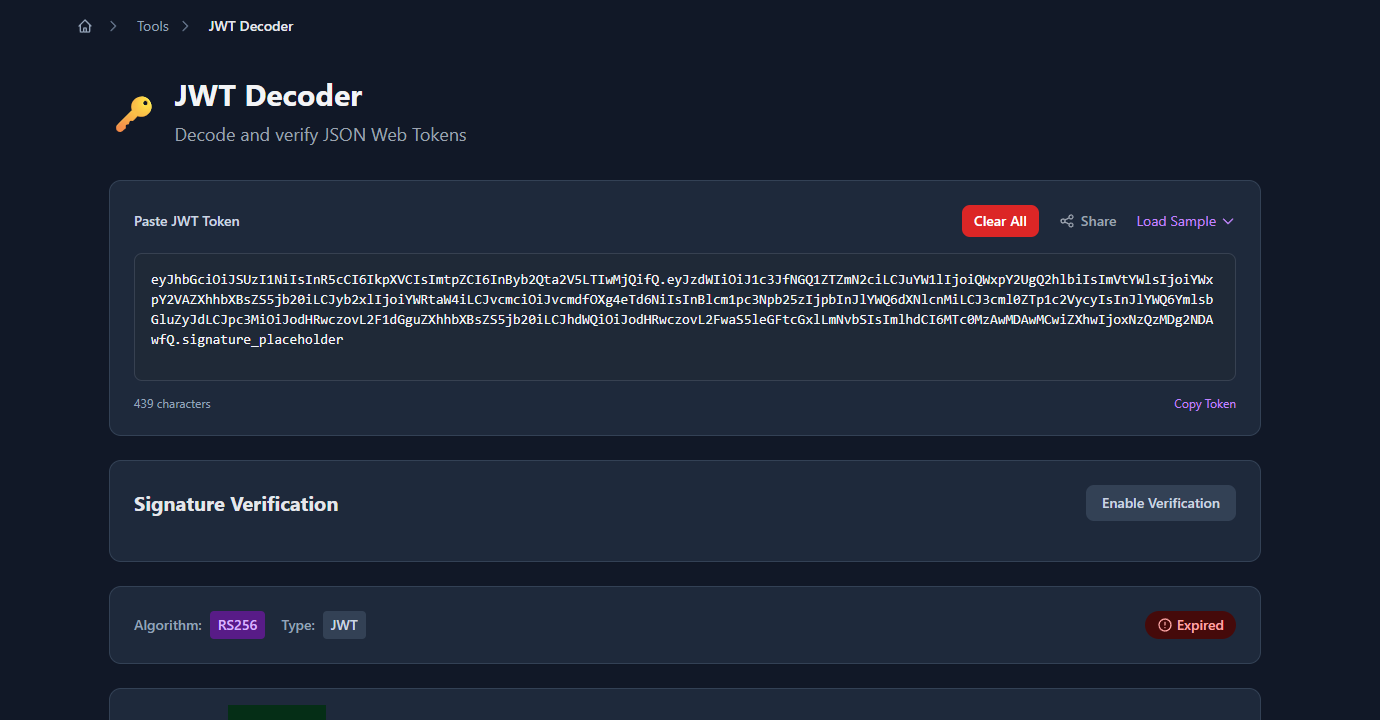
The decoded header and payload panels show the algorithm and key ID immediately:
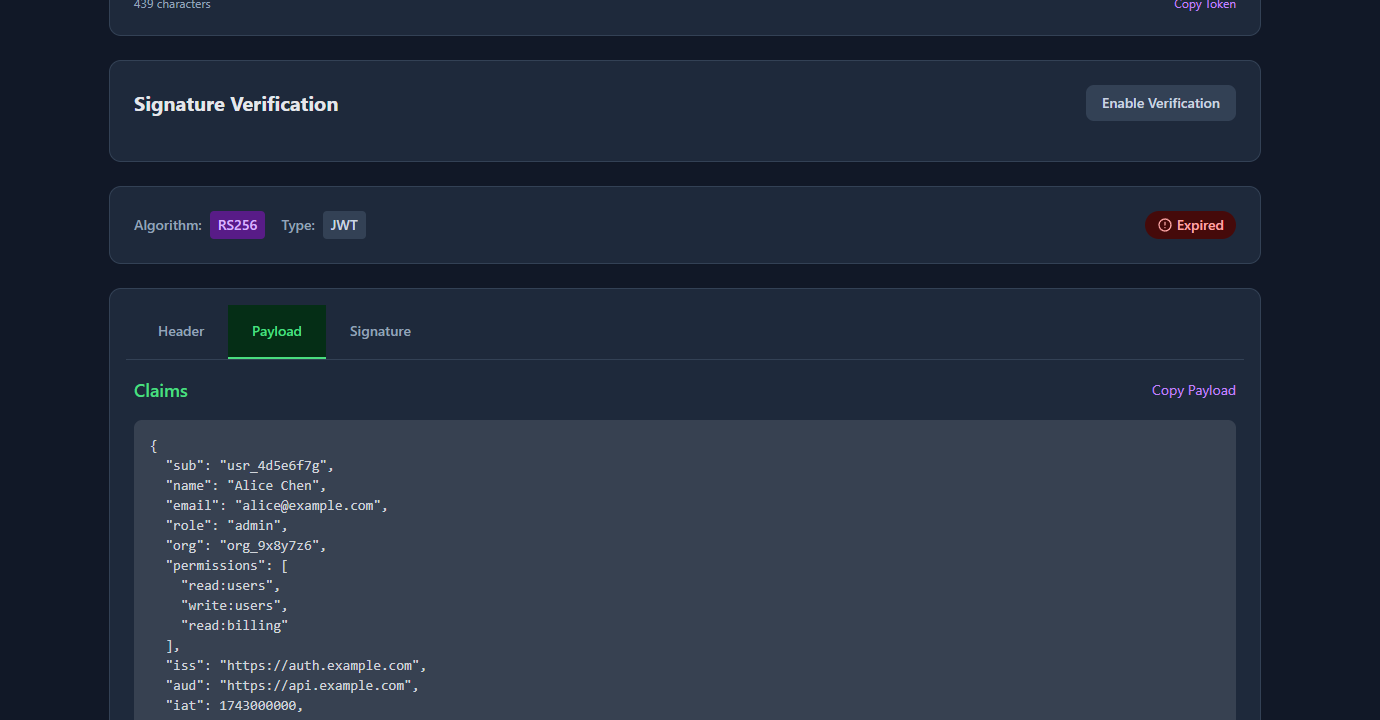
The kid (key ID) field in the header tells the verifier which public key to use — this is RS256-specific. HS256 tokens typically don’t have a kid because there’s only one shared secret.
When to use HS256
HS256 is the right choice when:
A single service both signs and verifies tokens. If your auth logic and your API are in the same codebase, or if only one service ever validates JWTs, HS256 is simpler. There’s no key pair to manage, no JWKS endpoint to publish, and no asymmetric crypto overhead.
You control all the verifiers. If you can securely share the secret with every service that needs to verify tokens — through environment variables, a secrets manager, or a config management system — HS256 works fine. The key distribution problem is solvable at small scale.
You’re prototyping or building internal tools. The operational overhead of RS256 isn’t justified for internal services with no external consumers. Use HS256, store the secret in your secrets manager, rotate it on a schedule.
// Node.js — HS256 sign and verify
const jwt = require('jsonwebtoken');
const SECRET = process.env.JWT_SECRET;  // store in secrets manager, not source code

// Sign
const token = jwt.sign(
  { sub: 'usr_123', role: 'admin' },
  SECRET,
  { algorithm: 'HS256', expiresIn: '1h' }
);

// Verify
const payload = jwt.verify(token, SECRET, { algorithms: ['HS256'] });
When to use RS256
RS256 is the right choice when:
Multiple services need to verify tokens without being able to issue them. With RS256, you distribute the public key — services can verify that a token came from your auth server, but they can’t forge tokens themselves. With HS256, every service that can verify can also forge. In a microservices architecture, that’s a significant blast radius if one service is compromised.
You’re using a third-party identity provider. Auth0, AWS Cognito, Okta, Google, Azure AD — all of them issue RS256 tokens by default. They publish their public keys at a JWKS endpoint. Your API fetches the public key and verifies tokens without any shared secret.
// Node.js — RS256 verify with JWKS (using jwks-rsa)
const jwt = require('jsonwebtoken');
const jwksClient = require('jwks-rsa');

const client = jwksClient({
  jwksUri: 'https://auth.example.com/.well-known/jwks.json'
});

function getKey(header, callback) {
  client.getSigningKey(header.kid, (err, key) => {
    callback(err, key?.getPublicKey());
  });
}

jwt.verify(token, getKey, { algorithms: ['RS256'] }, (err, payload) => {
  if (err) throw err;
  console.log(payload);
});
You need to publish a public key endpoint. If external partners or third-party services will verify your tokens, RS256 is required. You can’t share an HS256 secret externally — anyone who has it can issue tokens on your behalf.
You need key rotation without downtime. RS256 allows you to publish multiple public keys with different kid values. During rotation, you generate a new key pair, add the new public key to your JWKS endpoint alongside the old one, start signing new tokens with the new private key, and remove the old public key after its tokens expire. Services automatically use the right key based on kid. With HS256, key rotation requires all services to update the secret simultaneously.
# Python — RS256 sign (on auth server)
import jwt

with open('private_key.pem', 'r') as f:
    private_key = f.read()

token = jwt.encode(
    {
        'sub': 'usr_123',
        'role': 'admin',
        'iss': 'https://auth.example.com',
        'aud': 'https://api.example.com',
        'exp': int(time.time()) + 3600
    },
    private_key,
    algorithm='RS256',
    headers={'kid': 'prod-key-2024'}
)

# Python — RS256 verify (on API service — only needs public key)
with open('public_key.pem', 'r') as f:
    public_key = f.read()

payload = jwt.decode(
    token,
    public_key,
    algorithms=['RS256'],
    audience='https://api.example.com'
)
Key management comparison
| HS256 | RS256 | |
|---|---|---|
| Keys | 1 shared secret | Private key (auth server) + public key (verifiers) |
| Key distribution | Secret must be shared securely with all verifiers | Public key can be distributed freely |
| Key rotation | All verifiers must update simultaneously | Gradual rotation via JWKS + kid |
| Forge risk | Any verifier with the secret can issue tokens | Only the private key holder can issue tokens |
| JWKS endpoint | Not applicable | Required for public key distribution |
| Third-party IdP | Not compatible | Standard approach |
| Complexity | Low | Medium |
Common mistakes when choosing
Using HS256 with a weak secret. The secret must be cryptographically random and at least 256 bits (32 bytes). 'mysecret' or 'password123' are not valid secrets — they’re vulnerable to brute force. Generate with openssl rand -base64 32 or crypto.randomBytes(32).toString('hex') in Node.js.
Using HS256 across microservices. If service B needs to verify tokens that service A issues, you’re either sharing the secret (service B can now issue tokens) or duplicating the auth logic. RS256 cleanly separates issuance from verification.
Not pinning the algorithm on verify. Always specify which algorithm you accept during verification. Without this, a token with "alg": "none" passes verification in some libraries:
// ❌ Dangerous — accepts any algorithm including "none"
jwt.verify(token, secret);

// ✅ Correct — only accept expected algorithm
jwt.verify(token, secret, { algorithms: ['HS256'] });
jwt.verify(token, publicKey, { algorithms: ['RS256'] });
Confusing HS384/HS512 and RS384/RS512. These are just the same algorithms with larger hash outputs (384-bit and 512-bit SHA instead of 256-bit). They’re stronger but slower. For most applications, HS256 and RS256 are sufficient. Use the larger variants only if you have a specific compliance requirement.
Not validating iss and aud when using RS256. With a public key anyone can construct tokens that verify correctly. Always validate iss (issuer) and aud (audience) to ensure the token came from the expected source and is intended for your service:
jwt.verify(token, publicKey, {
  algorithms: ['RS256'],
  issuer: 'https://auth.example.com',
  audience: 'https://api.example.com'
});
FAQ
What’s the main difference between HS256 and RS256?
HS256 uses a single shared secret for both signing and verifying. RS256 uses a key pair: the private key signs, the public key verifies. The practical difference: with RS256, you can distribute the public key freely so multiple services can verify tokens without being able to issue them.
Which is more secure, HS256 or RS256?
Neither is categorically more secure — security depends on key management. HS256 with a strong random secret is cryptographically sound. RS256’s advantage is operational: the private key never leaves the auth server, so a compromised verifier service can’t forge tokens. For multi-service architectures, RS256 has a smaller blast radius.
Can I switch from HS256 to RS256 without breaking existing tokens?
Existing tokens signed with HS256 can’t be verified with RS256. You’ll need to either run both algorithms in parallel during a transition period (verify with HS256 if alg header is HS256, verify with RS256 if alg is RS256) or force a re-login for all users when you switch. Plan for a migration window.
How do I check what algorithm a JWT uses?
Decode the header — it’s the first segment of the token, base64url-encoded. atob(token.split('.')[0]) in the browser, or paste the token into GoGood.dev JWT Decoder. The alg field in the header shows the algorithm. The presence of a kid field usually indicates RS256 with JWKS.
What is JWKS and when do I need it?
JWKS (JSON Web Key Set) is a standard endpoint that publishes the public keys used to verify RS256 tokens. Identity providers publish it at /.well-known/jwks.json. If you’re building your own auth server with RS256, you need to implement a JWKS endpoint so verifiers can fetch your public key. With HS256, there’s no JWKS — the secret is shared out-of-band.
The algorithm decision comes down to one question: can you securely share a secret with every service that needs to verify tokens? If yes, HS256 is simpler. If no — because you have multiple services, external partners, or a third-party IdP — RS256 is the right choice.
For more on JWT internals: JWT Claims Explained with Real Examples covers the registered claims (iss, aud, exp) that become important with RS256 validation, and How to Create a JWT Token for Testing shows how to generate both HS256 and RS256 tokens in your test suite.