How to Generate Secure Passwords Programmatically
Generate secure passwords in JavaScript, Python, and Go using cryptographically secure randomness — entropy explained, length requirements, and common generation mistakes.
You need to generate a temporary password for a new user, an API key for a service account, a reset token for a password flow, or a secret for a webhook signature. The common mistake is reaching for Math.random() — it’s fast and convenient, but it’s not cryptographically secure. Passwords and secrets generated with Math.random() are predictable given enough output samples, which means they’re not actually random in the security sense.
This post covers how to generate secure passwords programmatically in JavaScript, Python, and Go using cryptographically secure random number generators (CSPRNGs), how to think about entropy and length, and the common implementation mistakes that produce passwords that look random but aren’t.
TL;DR: In Node.js:
crypto.randomBytes(32).toString('base64url'). In Python:secrets.token_urlsafe(32). For configurable password generation without code: GoGood.dev Password Generator with entropy score.
What makes a password cryptographically secure
A password is secure if it’s generated from a source of randomness that an attacker cannot predict. This requires two things:
-
A CSPRNG — a cryptographically secure pseudo-random number generator. The OS provides this (
/dev/urandomon Linux/macOS,BCryptGenRandomon Windows). Every language’s crypto module wraps it.Math.random()and Python’srandommodule do NOT use a CSPRNG — they use predictable algorithms seeded by time or other guessable values. -
Sufficient entropy — enough bits of randomness that brute force is infeasible. Entropy is measured in bits. A password with N bits of entropy requires 2^N guesses on average to crack.
16-char alphanumeric password: log2(62^16) ≈ 95 bits — strong
8-char alphanumeric password:  log2(62^8)  ≈ 48 bits — breakable with modern hardware
32-char hex token:             log2(16^32) = 128 bits — very strong
The rule of thumb: at least 128 bits of entropy for any security-sensitive token or password. That’s 22+ characters from a 62-character alphabet, or 32+ hex characters, or 22+ base64url characters.
Generate secure passwords online
GoGood.dev Password Generator generates cryptographically secure passwords with configurable length, character sets, and passphrases:
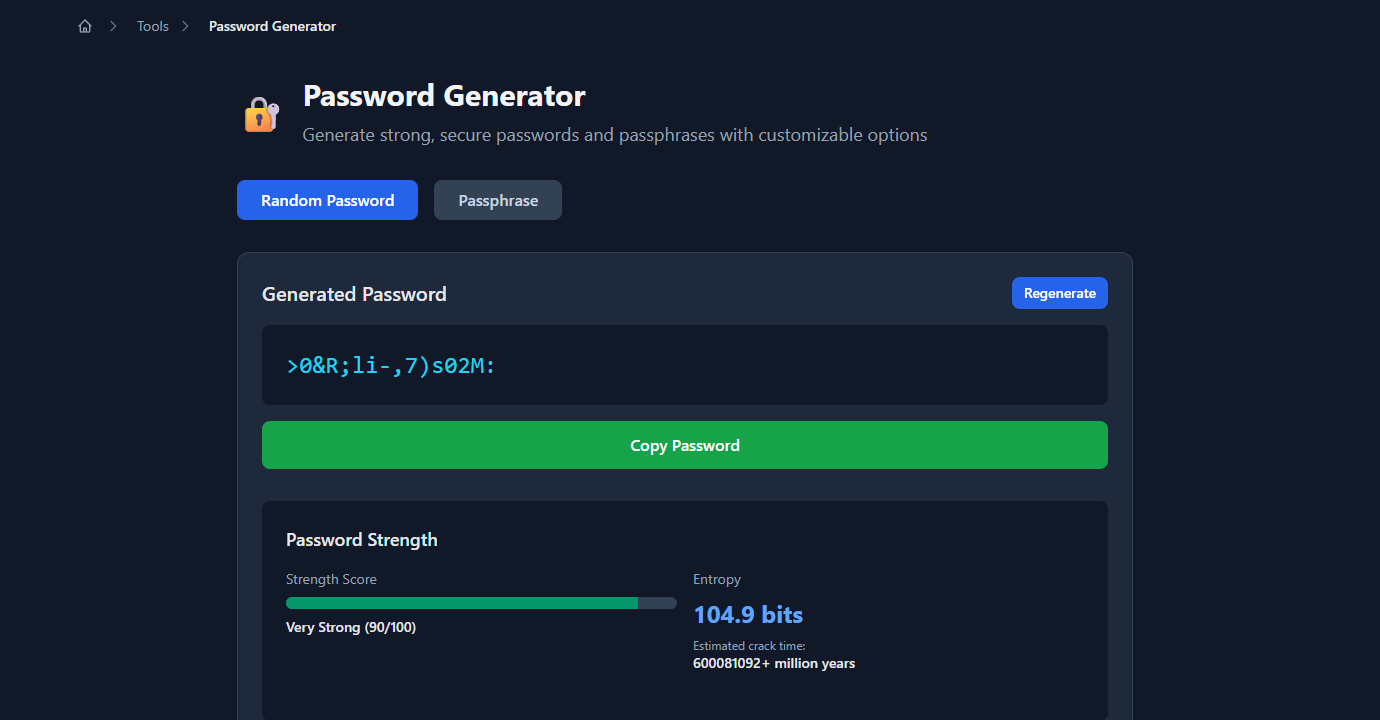
The strength score and entropy measurement tell you exactly how strong each password is — useful for confirming that your configuration produces passwords above your minimum entropy threshold:
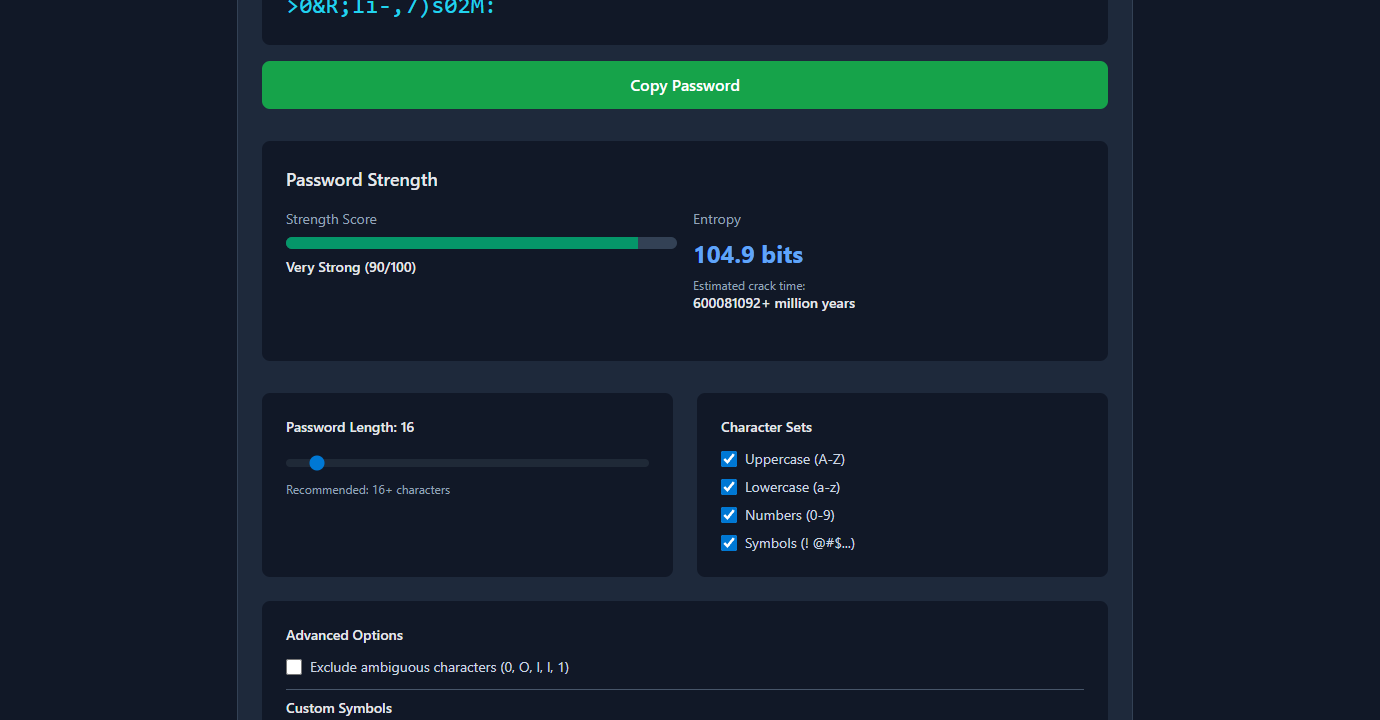
All generation happens locally in the browser using the Web Crypto API (crypto.getRandomValues()) — no passwords are sent to a server.
Generate secure passwords in Node.js
The crypto module (built-in since Node.js 14.18) wraps the OS CSPRNG:
const crypto = require('crypto');

// Random bytes as hex (most common for tokens/keys)
const token = crypto.randomBytes(32).toString('hex');
// '3a7f2c9e1b4d8f06a2e5c7d3f1a9b6e4c8d2f0a7e3b5c1d9f4a6b8e2c0d5f7a'
// 64 hex chars = 256 bits of entropy

// Random bytes as base64url (URL-safe, shorter)
const apiKey = crypto.randomBytes(32).toString('base64url');
// 'Onv_5RCyj0...K1A' — 43 chars, 256 bits

// Random bytes as base64 (includes + / =)
const secret = crypto.randomBytes(32).toString('base64');

// Numeric OTP (6 digits)
const otp = crypto.randomInt(100000, 999999).toString();
// '847293'

// Readable password with specific charset
function generatePassword(length = 16, charset = 'abcdefghijklmnopqrstuvwxyzABCDEFGHIJKLMNOPQRSTUVWXYZ0123456789!@#$%^&*') {
  const bytes = crypto.randomBytes(length);
  return Array.from(bytes)
    .map(byte => charset[byte % charset.length])
    .join('');
}

const password = generatePassword(20);
// 'k8Qm!nX3pW@vL5rJ2cY9'
Note on charset bias: byte % charset.length introduces a small modulo bias if 256 is not divisible by charset.length. For passwords, this bias is negligible. For high-security applications (cryptographic key material), use rejection sampling:
function generatePasswordUnbiased(length, charset) {
  const result = [];
  while (result.length < length) {
    const byte = crypto.randomBytes(1)[0];
    // Reject bytes that would cause bias
    if (byte < Math.floor(256 / charset.length) * charset.length) {
      result.push(charset[byte % charset.length]);
    }
  }
  return result.join('');
}
For temporary user passwords in an API:
async function createUserWithTempPassword(email) {
  const tempPassword = crypto.randomBytes(12).toString('base64url');  // 16 chars, 96 bits
  const hashedPassword = await bcrypt.hash(tempPassword, 12);

  await db.query(
    'INSERT INTO users (email, password_hash, must_change_password) VALUES ($1, $2, true)',
    [email, hashedPassword]
  );

  await sendWelcomeEmail(email, tempPassword);  // send plaintext once, then discard
  return { email, tempPassword };  // don't store the plaintext
}
Generate secure passwords in Python
Python’s secrets module (added in 3.6) is the right tool — it wraps os.urandom():
import secrets
import string

# Random token (hex) — for API keys, reset tokens
token = secrets.token_hex(32)
# '3a7f2c9e1b4d8f06a2e5c7d3f1a9b6e4c8d2f0a7e3b5c1d9f4a6b8e2c0d5f7a'
# 64 chars, 256 bits

# URL-safe base64 token — for URL parameters, JWTs
token_url = secrets.token_urlsafe(32)
# 'Onv_5RCyj0...K1A' — 43 chars, 256 bits

# Random integer — for OTPs
otp = secrets.randbelow(900000) + 100000  # 6-digit OTP
# 847293

# Password with specific charset
def generate_password(length: int = 20) -> str:
    alphabet = string.ascii_letters + string.digits + '!@#$%^&*'
    return ''.join(secrets.choice(alphabet) for _ in range(length))

password = generate_password(20)
# 'k8Qm!nX3pW@vL5rJ2cY9'

# Passphrase (easier to remember, high entropy)
import random
wordlist = ['correct', 'horse', 'battery', 'staple', 'purple', 'cloud', ...]  # your word list
passphrase = '-'.join(secrets.choice(wordlist) for _ in range(4))
# 'correct-battery-purple-cloud'
Never use the random module for security:
import random

# ❌ NOT secure — predictable PRNG
password = ''.join(random.choice(string.ascii_letters) for _ in range(16))

# ✅ Secure — CSPRNG
password = ''.join(secrets.choice(string.ascii_letters) for _ in range(16))
Generate secure passwords in Go
Go’s crypto/rand package wraps the OS CSPRNG:
package main

import (
    "crypto/rand"
    "encoding/base64"
    "encoding/hex"
    "fmt"
    "math/big"
)

// Random token as hex
func generateToken() (string, error) {
    bytes := make([]byte, 32)
    if _, err := rand.Read(bytes); err != nil {
        return "", err
    }
    return hex.EncodeToString(bytes), nil
}

// Random token as base64url
func generateAPIKey() (string, error) {
    bytes := make([]byte, 32)
    if _, err := rand.Read(bytes); err != nil {
        return "", err
    }
    return base64.URLEncoding.WithPadding(base64.NoPadding).EncodeToString(bytes), nil
}

// Password with charset
func generatePassword(length int) (string, error) {
    charset := "abcdefghijklmnopqrstuvwxyzABCDEFGHIJKLMNOPQRSTUVWXYZ0123456789!@#$%^&*"
    password := make([]byte, length)
    for i := range password {
        n, err := rand.Int(rand.Reader, big.NewInt(int64(len(charset))))
        if err != nil {
            return "", err
        }
        password[i] = charset[n.Int64()]
    }
    return string(password), nil
}
Common secure password generation mistakes
Using Math.random() or random.random()
These produce pseudo-random numbers seeded from a non-cryptographic source. An attacker who observes enough output can predict future values. Always use crypto.randomBytes() (Node.js), secrets (Python), or crypto/rand (Go).
Generating then filtering
Generating a long random string and filtering characters (e.g., removing ambiguous characters like 0 and O) resamples the character set unevenly and reduces entropy. Instead, generate directly from the target charset using secrets.choice() or the equivalent.
Short passwords for “temporary” use
“It’s only temporary” is not a reason to use a short password. Temporary passwords are often emailed in plaintext, copied into chat, or reused by users. Use the same length (16+ characters, 96+ bits) for temporary passwords as for permanent ones.
Storing plaintext passwords
A generated plaintext password must be hashed immediately on receipt (with bcrypt, Argon2, or scrypt) and the plaintext discarded. The only time plaintext should exist is during generation and the initial delivery to the user.
Encoding the same bytes differently produces different-length tokens
crypto.randomBytes(32).toString('hex')       // 64 chars — 256 bits
crypto.randomBytes(32).toString('base64')    // 44 chars — 256 bits (same entropy)
crypto.randomBytes(32).toString('base64url') // 43 chars — 256 bits (same entropy)
The encoding changes the representation, not the entropy. 32 random bytes is 256 bits regardless of how you encode it.
FAQ
What’s the minimum length for a secure password?
For user-facing passwords: 16+ characters from a mixed-case alphanumeric + symbol charset gives ~95+ bits of entropy. For machine-generated tokens (API keys, reset tokens): 32 random bytes encoded as hex or base64url is standard (256 bits). For temporary passwords sent by email: 12–16 characters is sufficient given they’re single-use and time-limited.
What’s the difference between Math.random() and crypto.randomBytes()?
Math.random() uses a deterministic algorithm (typically xorshift128+) seeded at startup. Given enough observed outputs, the internal state can be reconstructed and future values predicted. crypto.randomBytes() reads from the OS entropy pool, which combines hardware randomness sources and is not predictable. Only the latter is suitable for security-sensitive values.
How do I generate a secure API key?
crypto.randomBytes(32).toString('base64url') in Node.js, or secrets.token_urlsafe(32) in Python. Both produce 256 bits of entropy in a URL-safe format. Store only a hash of the key in your database (use SHA-256 for API keys — bcrypt is overkill since the key is already high entropy).
Should I use a passphrase instead of a random password?
For user-facing passwords (ones humans need to type or remember), passphrases (4–6 random words) are easier to remember and provide equivalent or greater entropy. For machine-generated tokens (API keys, session IDs), random bytes encoded as hex or base64 are simpler and shorter for the same entropy.
How long should a password reset token be?
32 random bytes (256 bits) encoded as hex or base64url, with a 15–60 minute expiry. Store a hash in the database, not the token itself — if the database is compromised, existing tokens are worthless to an attacker.
The core principle is simple: use your language’s crypto module, not the math/random module, and generate at least 128 bits of entropy. The rest is encoding choice and length calculation.
For related security tooling: SHA-256 vs MD5: Which Hash Should You Use? covers hashing passwords and tokens after generation, and UUID v4 vs v7: Which Should You Use? covers the UUID alternative for identifiers that don’t need password-level entropy.