When to Use Base64 (and When Not To)
When to use Base64 encoding — HTTP Basic Auth, data URIs, email attachments, JWT — and when to avoid it. Covers the 33% size overhead and safer alternatives.
Base64 turns up everywhere — HTTP auth headers, JWTs, email attachments, data URIs, binary fields in JSON responses — and it’s rarely obvious whether it belongs there or was just added out of habit. The distinction matters: Base64 isn’t encryption, it adds 33% overhead, and using it where you don’t need it makes your system slower and larger for no reason.
Here’s when it’s the right call, and when it isn’t.
TL;DR: Use Base64 when a protocol or format requires text-safe encoding of binary data — HTTP headers, JSON payloads, email bodies, data URIs. Avoid it for general data storage, as a security measure, or anywhere you could use binary directly. Encode and decode quickly at GoGood.dev Base64 Encoder.
What Base64 actually does
Base64 converts binary data (or arbitrary bytes) into a string using only 64 printable ASCII characters: A–Z, a–z, 0–9, +, /, and = for padding. Every 3 bytes of input become 4 characters of output — a 33% size increase.
Input:  "client_id:client_secret"  (23 bytes)
Output: "Y2xpZW50X2lkOmNsaWVudF9zZWNyZXQ="  (32 chars)
The purpose is transport safety. Some protocols and formats — HTTP headers, email, JSON — can only reliably handle printable ASCII. Null bytes, control characters, and high-bit bytes cause corruption in text-oriented contexts. Base64 makes binary safe to carry.
It is not encryption. atob('Y2xpZW50X2lkOmNsaWVudF9zZWNyZXQ=') gives you back the original string immediately. If you’re reaching for Base64 to “hide” something, stop.
When to use Base64
HTTP Basic Authentication
The HTTP spec requires credentials in the Authorization: Basic header to be Base64-encoded:
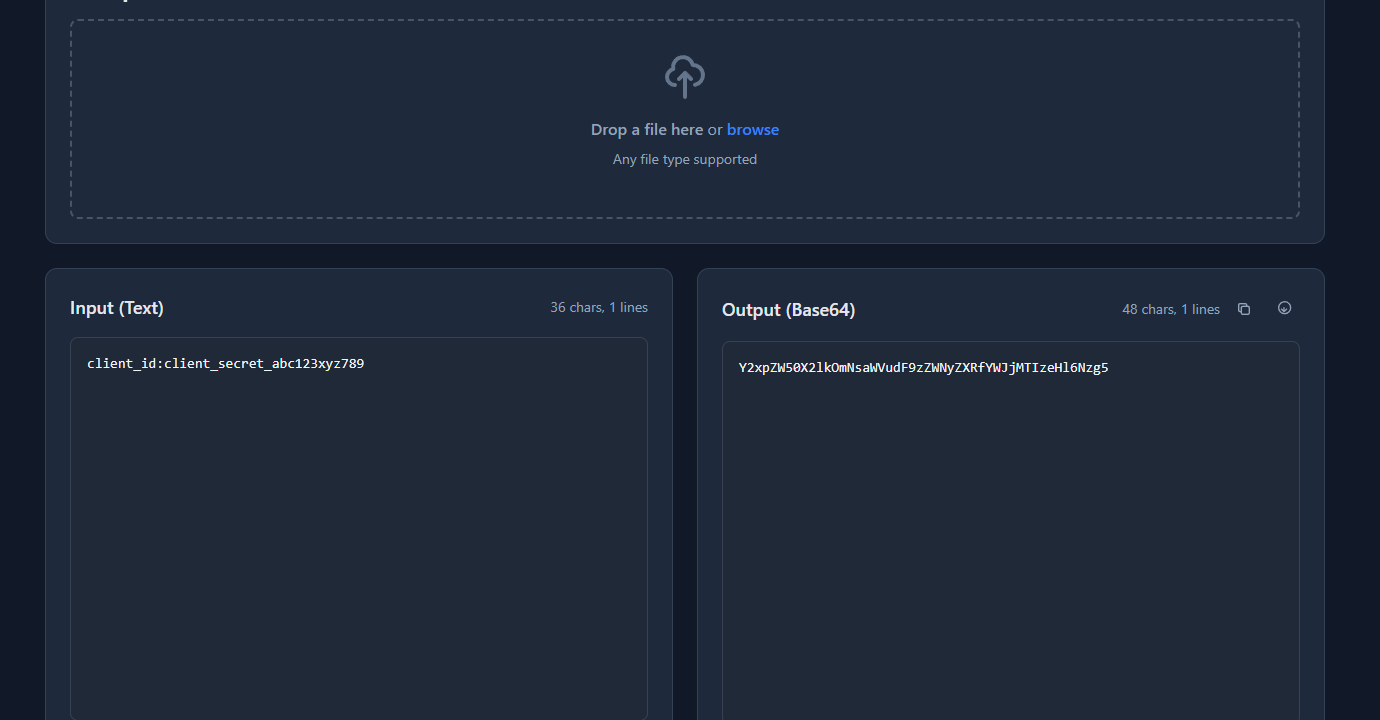
Authorization: Basic Y2xpZW50X2lkOmNsaWVudF9zZWNyZXQ=The encoded string is base64("username:password"). This is a protocol requirement, not a security feature — HTTPS provides the actual security. Without HTTPS, an attacker can decode the credentials trivially.
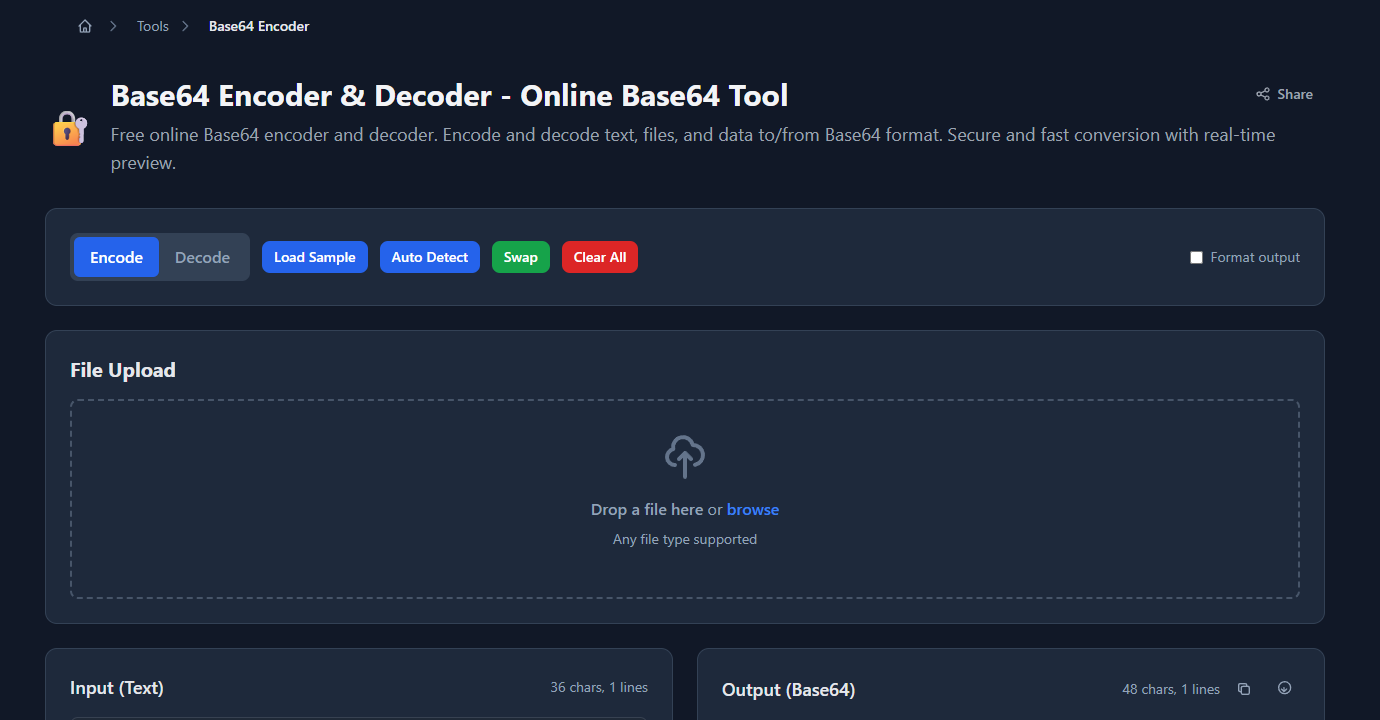
GoGood.dev Base64 Encoder encodes username:password strings instantly for testing API authentication headers:
The encoded output is ready to paste into an Authorization: Basic header:
To generate the header in code:
const credentials = `${clientId}:${clientSecret}`;
const encoded = Buffer.from(credentials).toString('base64');
const headers = { 'Authorization': `Basic ${encoded}` };
import base64
credentials = f"{client_id}:{client_secret}"
encoded = base64.b64encode(credentials.encode()).decode()
headers = {"Authorization": f"Basic {encoded}"}Binary data in JSON payloads
JSON is a text format — it has no native binary type. When you need to include binary data in a JSON body (file contents, cryptographic keys, image data, encrypted blobs), Base64 is the standard encoding:
{
  "filename": "report.pdf",
  "content_type": "application/pdf",
  "data": "JVBERi0xLjQKJcfs...",
  "signature": "MEYCIQDlqS3..."
}
// Encode a file for API upload
const file = fs.readFileSync('report.pdf');
const payload = {
filename: 'report.pdf',
content_type: 'application/pdf',
data: file.toString('base64')
};
// Decode on receipt
const fileBuffer = Buffer.from(payload.data, 'base64');This is a genuine use case — JSON has no alternative. If your API needs to transport binary data without switching to multipart/form-data, Base64 is the right approach.
Email attachments (MIME)
Email protocols (SMTP) are text-based. Binary attachments are Base64-encoded within MIME multipart messages. Every time you send a PDF attachment, your email client Base64-encodes it before transmission. Your email server and the recipient’s client decode it. This is handled automatically by email libraries — you rarely interact with it directly — but it’s the reason attachments get 33% larger in transit.
Data URIs in HTML and CSS
Data URIs embed binary content directly in HTML or CSS as Base64 strings, eliminating HTTP requests for small assets:
.icon {
  background-image: url('data:image/svg+xml;base64,PHN2ZyB4bWxucz0i...');
}<img src="data:image/png;base64,iVBORw0KGgoAAAANSUhEUg..." alt="Icon" />This is appropriate for small images (typically under 3–4 KB). Larger images cost more in parsing and cache inefficiency than they save in request elimination. See Base64 Encoding for Images in CSS: A Practical Guide for the full tradeoff analysis.
JWT tokens
JSON Web Tokens use Base64url (a URL-safe variant that replaces + with - and / with _) to encode the header and payload. The token has the form header.payload.signature where the first two parts are Base64url-encoded JSON:
eyJhbGciOiJIUzI1NiIsInR5cCI6IkpXVCJ9.eyJzdWIiOiJ1c3JfMTIzIn0.signatureDecoding the first segment gives you the algorithm; decoding the second gives you the claims. The encoding makes the token URL-safe (no + or /) and embeddable in headers. The payload is readable by anyone — it’s not encrypted.
Cryptographic material
Public keys, certificates, and encoded signatures are conventionally represented as Base64 (often in PEM format):
-----BEGIN PUBLIC KEY-----
MIIBIjANBgkqhkiG9w0BAQEFAAOCAQ8AMIIBCgKCAQEA...
-----END PUBLIC KEY-----
The Base64 between the headers is the DER-encoded key. This is a protocol convention for transporting binary cryptographic data as text.
When NOT to use Base64
Storage — use binary columns
Storing Base64-encoded data in a database is almost always a mistake someone else made that you’re now maintaining.
Most databases have native binary types (BYTEA in PostgreSQL, BLOB in MySQL/SQLite) that store binary data efficiently. Base64 uses 33% more space, is slower to index, and requires encoding/decoding at every read and write.
-- ❌ Wasteful — stores Base64 string, 33% larger than the original
ALTER TABLE documents ADD COLUMN content TEXT;  -- stores Base64

-- ✅ Correct — native binary storage
ALTER TABLE documents ADD COLUMN content BYTEA;  -- PostgreSQL
ALTER TABLE documents ADD COLUMN content BLOB;   -- MySQL
The only exception: some ORMs or environments where binary columns are unavailable or inconvenient. Even then, consider whether you can use a file storage system (S3, GCS) instead.
Security / obfuscation
Base64 is not encryption and provides no security. Encoding a password, API key, or secret in Base64 does not protect it — anyone who sees the encoded string can decode it in seconds. If you need confidentiality, use actual encryption (AES-GCM, ChaCha20) or a secrets management system.
// ❌ This is not security — it's false security
const "hidden" = btoa('my_secret_api_key');

// ✅ Use environment variables and proper secrets management
const apiKey = process.env.API_KEY;
Transporting large binary files
The 33% size overhead becomes significant for large files. A 10MB binary file becomes 13.3MB in Base64. For file transfer, use binary-capable protocols directly:
- Use
multipart/form-datafor HTTP file uploads - Use binary WebSocket frames for real-time file transfer
- Use S3 presigned URLs for large file storage and retrieval
// ❌ Inefficient for large files
const payload = { file: largeBuffer.toString('base64') };  // 33% larger

// ✅ Use multipart for file uploads
const form = new FormData();
form.append('file', new Blob([largeBuffer]), 'filename.bin');
await fetch('/upload', { method: 'POST', body: form });
URL parameters — use URL encoding instead
Base64 contains + and / which have special meaning in URLs, and = which is the query string assignment character. URL-encoding these produces %2B, %2F, and %3D — messy and fragile. If you need to pass binary data in a URL, use Base64url (which replaces +// with -/_) or URL-encode the data differently.
// ❌ Standard Base64 in URLs breaks
const url = `https://api.example.com/data?token=${btoa(data)}`;
// btoa produces + and / which corrupt the URL

// ✅ Base64url is URL-safe
const base64url = btoa(data)
  .replace(/\+/g, '-')
  .replace(/\//g, '_')
  .replace(/=/g, '');
Quick reference: use Base64 or not?
| Use case | Base64? | Reason |
|---|---|---|
| HTTP Basic Auth header | ✅ Yes | Protocol requirement |
| Binary data in JSON | ✅ Yes | JSON is text-only |
| Email attachments (MIME) | ✅ Yes | SMTP is text-based |
| Small images in CSS/HTML | ✅ Yes | Eliminates HTTP request |
| JWT header/payload | ✅ Yes | URL-safe text encoding |
| PEM keys/certificates | ✅ Yes | Convention for binary crypto material |
| Database storage | ❌ No | Use binary column type |
| Hiding secrets | ❌ No | Not encryption — anyone can decode |
| Large file transfer | ❌ No | 33% overhead; use binary protocol |
| URL parameters | ❌ No | Use Base64url or URL encoding |
| Data that’s already text | ❌ No | No benefit, only overhead |
FAQ
Does Base64 make data secure?
No. atob() in any browser decodes it in milliseconds. base64 -d in any terminal does the same. Base64 is a text encoding — it solves the “this needs to be ASCII” problem, not the “this needs to be secret” problem. For security: AES-256-GCM for symmetric encryption, environment variables for secrets, a secrets manager for anything shared across services.
What’s the difference between Base64 and Base64url?
Standard Base64 uses +, /, and = — all of which have special meaning in URLs. Base64url replaces + with - and / with _, and drops the = padding. The result is safe in URLs and filenames without percent-encoding. JWTs use Base64url; HTTP Basic Auth uses standard Base64. Mix them up and you’ll get corrupted values.
Why does Base64 increase data size by 33%?
Every 3 bytes of binary input becomes 4 ASCII characters — a 4:3 ratio built into the encoding. There’s no way around this; it’s the cost of representing arbitrary bytes in printable ASCII. For reference: if you have a 1MB Base64 string, the original was about 750KB. For small data it doesn’t matter; for a 10MB file upload it’s 3.3MB of pure overhead that goes away if you use multipart/form-data instead.
Should I store images as Base64 in a database?
No. Store images in S3, GCS, or Cloudflare R2 and save the URL in your database. If you genuinely can’t do that, use a binary column (BYTEA in PostgreSQL, BLOB in MySQL) — 33% smaller, no encoding overhead on every read/write, and indexable. Base64 in a TEXT column is the worst of all options.
When should I use Base64 vs just sending binary?
Use binary whenever the transport allows it — binary WebSocket frames, multipart/form-data, database binary columns, file I/O. Use Base64 when you have no choice because the format is text-only: JSON fields, HTTP headers, email bodies, HTML attributes. The question to ask is “does this protocol support raw bytes?” If yes, use them.
The rule is simple enough to fit in a sentence: Base64 when the format forces you to ASCII; binary when you have a choice. Everything else — the overhead, the confusion, the security theater — follows from using it where it’s not needed.
For the mechanics: Base64 Encode and Decode Explained for Developers covers how the encoding works, and Base64 Encoding for Images in CSS covers the performance tradeoffs for data URIs specifically.