How to Create a JWT Token for Testing
Create JWT tokens for testing in seconds — set custom claims, expiry, and algorithm. Build tokens in Node.js, Python, or online without a running auth server.
You’re writing a test that hits an authenticated endpoint. Or you’re debugging a 403 and need a token with a specific role claim. Or your auth service is down but you need to keep developing. In all of these cases, you need to create a JWT token for testing — quickly, with the exact claims you want, without spinning up your full auth stack.
This post covers every way to create a JWT for testing: an online builder for instant no-code tokens, Node.js with jsonwebtoken, Python with PyJWT, and a raw implementation if you want to understand what’s happening underneath. It also covers the claims that matter most for testing and the mistakes that make test tokens behave differently from real ones.
TL;DR: The fastest approach is GoGood.dev JWT Builder — set your claims, choose algorithm and secret, get a signed token instantly. For code:
jwt.sign({ sub: 'usr_123', role: 'admin' }, 'test-secret', { expiresIn: '1h' })in Node.js.
What makes a valid JWT for testing
A JWT for testing needs three things:
- The claims your code checks — if your middleware verifies
role === 'admin', the test token needs"role": "admin"in the payload - A valid expiry — tokens without
exp, or with anexpin the past, will be rejected by any middleware that checks expiry - A signature that your code trusts — the token must be signed with the secret or key that your application uses for verification
For testing, the secret can be anything — "test-secret", "development", "secret123" — as long as your test configuration uses the same value for verification. The security of a test token doesn’t matter; its structure does.
Create a JWT for testing online
GoGood.dev JWT Builder lets you create a signed JWT with custom claims and expiry — no code, no setup:
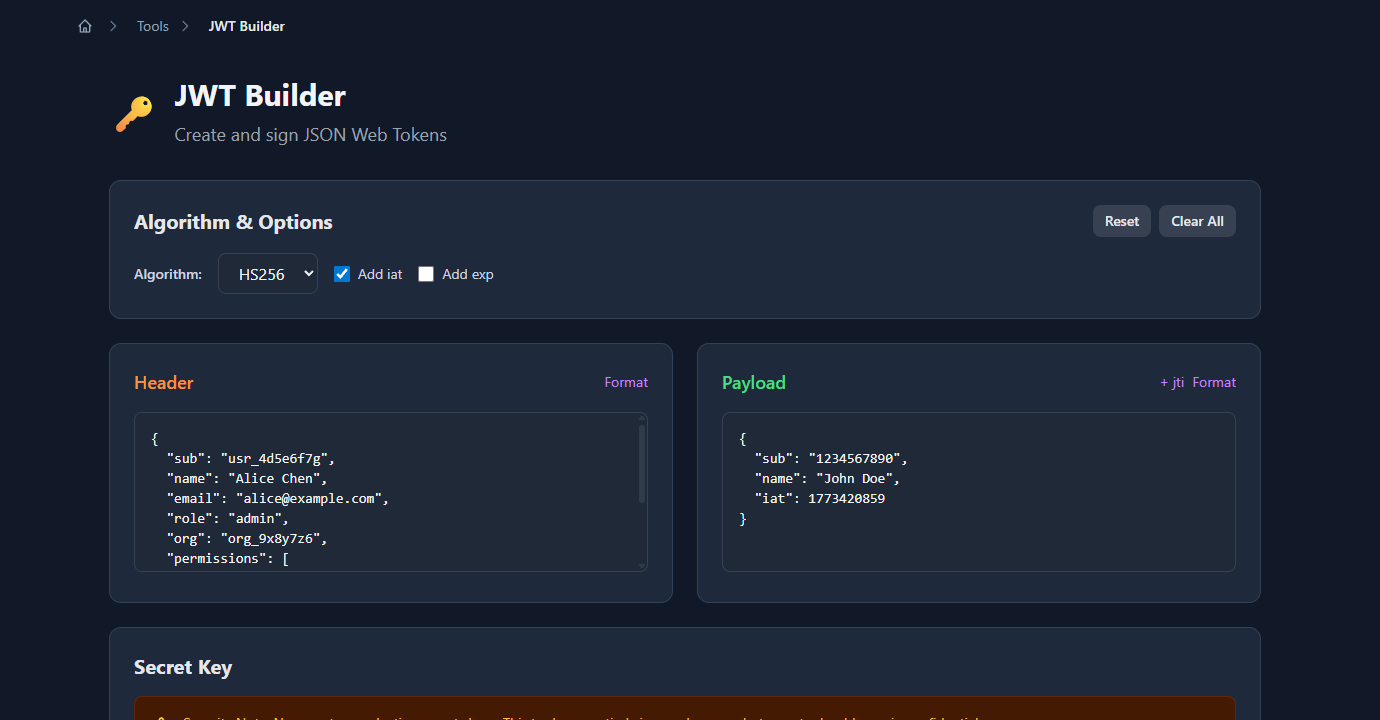
Enter your claims as JSON, choose HS256 or RS256, set an expiry, provide your secret, and the signed token appears immediately:
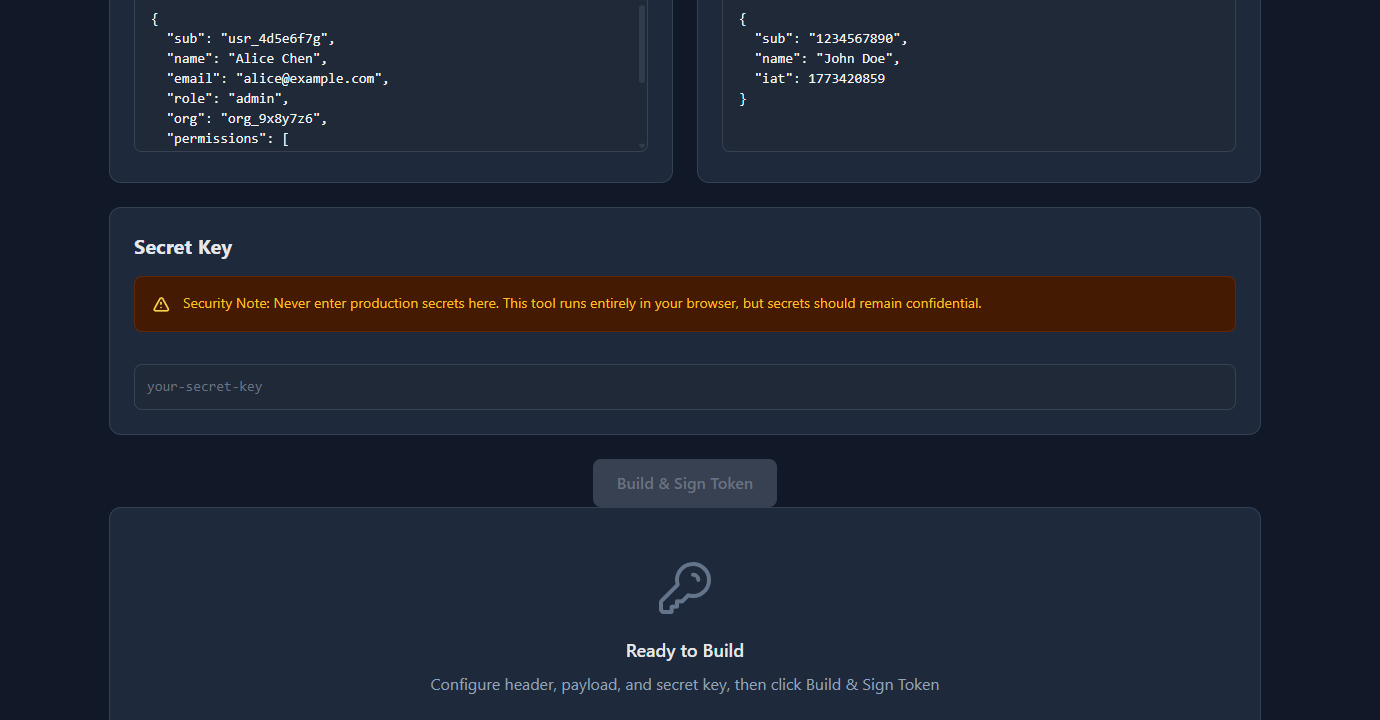
Copy the token and paste it into your API client, test fixture, or Authorization: Bearer header. The builder also lets you set specific iat and exp values, which is useful for testing expiry-handling code.
Create a JWT in Node.js
The standard library is jsonwebtoken:
npm install jsonwebtokenBasic token with claims and expiry:
const jwt = require('jsonwebtoken');

const token = jwt.sign(
  {
    sub: 'usr_4d5e6f7g',
    name: 'Alice Chen',
    email: 'alice@example.com',
    role: 'admin',
    org: 'org_9x8y7z6',
    permissions: ['read:users', 'write:users', 'read:billing']
  },
  'test-secret',          // signing secret
  { expiresIn: '1h' }    // sets exp claim automatically
);

console.log(token);
// eyJhbGciOiJIUzI1NiIsInR5cCI6IkpXVCJ9.eyJzdWIiOiJ1c3JfN...
Create tokens for different test scenarios:
const jwt = require('jsonwebtoken');
const SECRET = 'test-secret';

// Standard user token
const userToken = jwt.sign(
  { sub: 'usr_123', role: 'member', plan: 'free' },
  SECRET,
  { expiresIn: '1h' }
);

// Admin token
const adminToken = jwt.sign(
  { sub: 'usr_456', role: 'admin', permissions: ['read:all', 'write:all'] },
  SECRET,
  { expiresIn: '1h' }
);

// Already-expired token (for testing 401 handling)
const expiredToken = jwt.sign(
  { sub: 'usr_789', role: 'member' },
  SECRET,
  { expiresIn: -1 }    // expires 1 second in the past
);

// Token without expiry (for testing tokens missing exp claim)
const noExpToken = jwt.sign(
  { sub: 'usr_000', role: 'member' },
  SECRET
  // no expiresIn
);
Use in Jest tests:
const jwt = require('jsonwebtoken');

const SECRET = process.env.JWT_SECRET ?? 'test-secret';

function createTestToken(claims = {}) {
  return jwt.sign(
    { sub: 'usr_test', role: 'member', ...claims },
    SECRET,
    { expiresIn: '1h' }
  );
}

describe('GET /api/profile', () => {
  it('returns 401 without a token', async () => {
    const res = await request(app).get('/api/profile');
    expect(res.status).toBe(401);
  });

  it('returns profile for authenticated user', async () => {
    const token = createTestToken({ sub: 'usr_123' });
    const res = await request(app)
      .get('/api/profile')
      .set('Authorization', `Bearer ${token}`);
    expect(res.status).toBe(200);
  });

  it('returns 403 for non-admin on admin endpoint', async () => {
    const token = createTestToken({ role: 'member' });
    const res = await request(app)
      .get('/api/admin/users')
      .set('Authorization', `Bearer ${token}`);
    expect(res.status).toBe(403);
  });

  it('returns 401 for expired token', async () => {
    const token = jwt.sign({ sub: 'usr_123' }, SECRET, { expiresIn: -1 });
    const res = await request(app)
      .get('/api/profile')
      .set('Authorization', `Bearer ${token}`);
    expect(res.status).toBe(401);
  });
});
Create a JWT in Python
pip install PyJWTimport jwt
from datetime import datetime, timedelta, timezone
SECRET = 'test-secret'
def create_test_token(claims: dict, expires_in_seconds: int = 3600) -> str:
payload = {
'sub': 'usr_test',
'iat': datetime.now(timezone.utc),
'exp': datetime.now(timezone.utc) + timedelta(seconds=expires_in_seconds),
**claims
}
return jwt.encode(payload, SECRET, algorithm='HS256')
# Standard user token
user_token = create_test_token({'role': 'member', 'plan': 'free'})
# Admin token
admin_token = create_test_token({
'sub': 'usr_admin',
'role': 'admin',
'permissions': ['read:all', 'write:all']
})
# Expired token
expired_token = create_test_token({'role': 'member'}, expires_in_seconds=-1)Use in pytest:
import pytest
import jwt

SECRET = 'test-secret'

@pytest.fixture
def auth_headers():
    token = jwt.encode(
        {'sub': 'usr_test', 'role': 'member'},
        SECRET,
        algorithm='HS256'
    )
    return {'Authorization': f'Bearer {token}'}

@pytest.fixture
def admin_headers():
    token = jwt.encode(
        {'sub': 'usr_admin', 'role': 'admin'},
        SECRET,
        algorithm='HS256'
    )
    return {'Authorization': f'Bearer {token}'}

def test_profile_requires_auth(client):
    response = client.get('/api/profile')
    assert response.status_code == 401

def test_profile_returns_data(client, auth_headers):
    response = client.get('/api/profile', headers=auth_headers)
    assert response.status_code == 200
Claims to include in test tokens
Your test tokens should include exactly the claims your application code reads. Common claims to include:
Identity claims:
{
  "sub": "usr_test_001",    // subject — user ID your app uses
  "email": "test@example.com",
  "name": "Test User"
}
Authorization claims (match what your middleware checks):
{
  "role": "admin",           // if your code checks role
  "permissions": ["read:users", "write:users"],  // if your code checks permissions
  "org": "org_test_123",     // if your code checks org membership
  "plan": "pro"              // if your code gates on plan
}
Time claims:
{
  "iat": 1743000000,    // issued at — auto-set by jwt.sign()
  "exp": 1743086400,    // expiry — set via expiresIn
  "nbf": 1743000000     // not before — optional, for delayed activation
}
The aud (audience) and iss (issuer) claims matter if your middleware validates them:
// If your middleware verifies audience
jwt.sign(
  { sub: 'usr_test' },
  SECRET,
  {
    expiresIn: '1h',
    audience: 'https://api.example.com',  // must match what middleware expects
    issuer: 'https://auth.example.com'
  }
);
Common problems with test JWTs
“Token is valid but requests return 401”
Check that your test environment uses the same secret as the token. If your app reads the secret from process.env.JWT_SECRET, make sure your test environment sets that variable — or explicitly configure it to use your test secret.
// Jest setup — ensure test secret matches token creation
process.env.JWT_SECRET = 'test-secret';
“Token works locally but fails in CI”
The secret isn’t set in the CI environment. Add it as a CI secret or environment variable. In GitHub Actions:
env:
  JWT_SECRET: test-secret-for-ci   # not sensitive — test env only
“Expired token test passes when it should fail”
If your middleware doesn’t check exp explicitly, or catches clock skew with a large buffer, an expired token might still pass. Check your middleware’s clockTolerance or ignoreExpiration settings.
“Token with wrong audience still passes”
Your middleware may not be validating aud. Check whether audience validation is enabled — in jsonwebtoken: jwt.verify(token, secret, { audience: 'https://api.example.com' }). If it’s not there, add it.
FAQ
How do I create a JWT token for testing without a library?
A JWT is a Base64url-encoded header, Base64url-encoded payload, and an HMAC-SHA256 signature. You can construct one manually, but for testing it’s much faster to use jsonwebtoken in Node.js, PyJWT in Python, or the GoGood.dev JWT Builder online. The library handles encoding, signing, and exp calculation correctly.
How do I create an expired JWT for testing?
In jsonwebtoken: jwt.sign(payload, secret, { expiresIn: -1 }) — setting a negative expiresIn creates a token that expired 1 second ago. Or set exp explicitly as a Unix timestamp in the past: jwt.sign({ ...payload, exp: Math.floor(Date.now() / 1000) - 60 }, secret).
What secret should I use for test JWTs?
For tests, the secret value doesn’t matter for security — use something obvious like 'test-secret' or 'test'. What matters is that your test token creation and your middleware verification use the same value. Set it as an environment variable (JWT_SECRET=test-secret) so both your app and your token factory read from the same source.
How do I test with RS256 (asymmetric) JWT?
Generate a test RSA key pair: openssl genrsa -out test-private.pem 2048 && openssl rsa -in test-private.pem -pubout -out test-public.pem. Sign with the private key: jwt.sign(payload, fs.readFileSync('test-private.pem'), { algorithm: 'RS256' }). Configure your middleware to verify with the public key. Never use production keys in tests.
How do I include custom claims in a test JWT?
Add any key-value pairs to the payload object: jwt.sign({ sub: 'usr_123', role: 'admin', org: 'org_456', plan: 'pro' }, secret, { expiresIn: '1h' }). Your middleware reads these from req.user after verification. Make sure the claim names match exactly what your middleware code uses.
Creating JWT tokens for testing is straightforward once you have a token factory — a small helper function that takes overrides and returns a signed token with sensible defaults. Build it once per test suite and reuse it across all auth-related tests.
For more on JWT internals: JWT Claims Explained with Real Examples covers all seven registered claims, and Reading JWT Payloads in the Browser shows how to inspect and verify your test tokens visually.