Base64 Won't Decode? Invalid Characters and Missing Padding, Explained
Getting InvalidCharacterError or 'Incorrect padding' when decoding Base64? It is almost always URL-safe characters or stripped padding. Here is how to fix both.
You copied a Base64 string from an API response, a JWT, or a query parameter — and the decoder refuses it. atob() throws InvalidCharacterError, Python raises binascii.Error: Incorrect padding, and the string looks like perfectly normal Base64.
TL;DR: There are two Base64 alphabets. The URL-safe variant replaces
+with-and/with_, and often drops the trailing=padding. Standard decoders reject both. Convert the characters back and restore the padding — or use a decoder that does it for you.
The two errors you’ll actually see
In the browser:
atob('eyJhbGciOiJIUzI1NiJ9-_')
// DOMException: InvalidCharacterError: The string to be decoded
// is not correctly encoded.
In Python:
import base64
base64.b64decode('eyJhbGciOiJIUzI1NiJ9')
# binascii.Error: Incorrect padding
Different messages, same root cause: your input is valid Base64 — just not the variant your decoder expects.
Why there are two Base64 alphabets
Standard Base64 (RFC 4648 §4) uses A–Z, a–z, 0–9, plus two symbols: + and /. Both symbols are a problem the moment Base64 leaves the payload and enters a URL:
+means “space” in query strings/is a path separator
So RFC 4648 §5 defines URL-safe Base64: identical, except + becomes - and / becomes _. You will meet it everywhere tokens travel in URLs or headers:
- JWTs — every JWT segment is URL-safe Base64 (that’s why pasting one into a plain decoder fails)
- OAuth
stateand PKCE values - Signed URLs from S3, Firebase, and CDNs
- Filenames and cache keys generated from hashes
If your string contains - or _ where you’d expect + or /, it’s URL-safe Base64.
Why the padding goes missing
Base64 encodes 3 bytes into 4 characters, so output length is always a multiple of 4 — padded with = when the input doesn’t divide evenly. But = is also special in URLs (key=value), so URL-safe producers routinely strip it. JWTs never include padding at all.
Strict decoders count characters, see a length of, say, 22 instead of 24, and give up — that’s Python’s Incorrect padding.
The fix is mechanical: append = until the length is a multiple of 4. One caveat — a valid Base64 string can never need three pads. If length % 4 === 1, the string is truncated, not unpadded, and no amount of padding will save it.
Fix it in JavaScript
function decodeAnyBase64(input) {
  let s = input.trim()
    .replace(/^data:[^;]+;base64,/, '') // strip data URI prefix
    .replace(/\s+/g, '')                // strip whitespace/newlines
    .replace(/-/g, '+')                 // URL-safe -> standard
    .replace(/_/g, '/');
  if (s.length % 4 === 1) throw new Error('Truncated Base64');
  if (s.length % 4 !== 0) s += '='.repeat(4 - (s.length % 4));
  return atob(s);
}
Fix it in Python
Python’s base64 module already ships a URL-safe decoder — you only need to handle padding:
import base64

def decode_any_base64(value: str) -> bytes:
    s = ''.join(value.split())          # strip whitespace
    s += '=' * (-len(s) % 4)            # restore padding
    return base64.urlsafe_b64decode(s)  # accepts - and _
urlsafe_b64decode handles both alphabets’ letters and digits identically, so it’s safe to use even when the input turns out to be standard Base64.
Or skip the ceremony
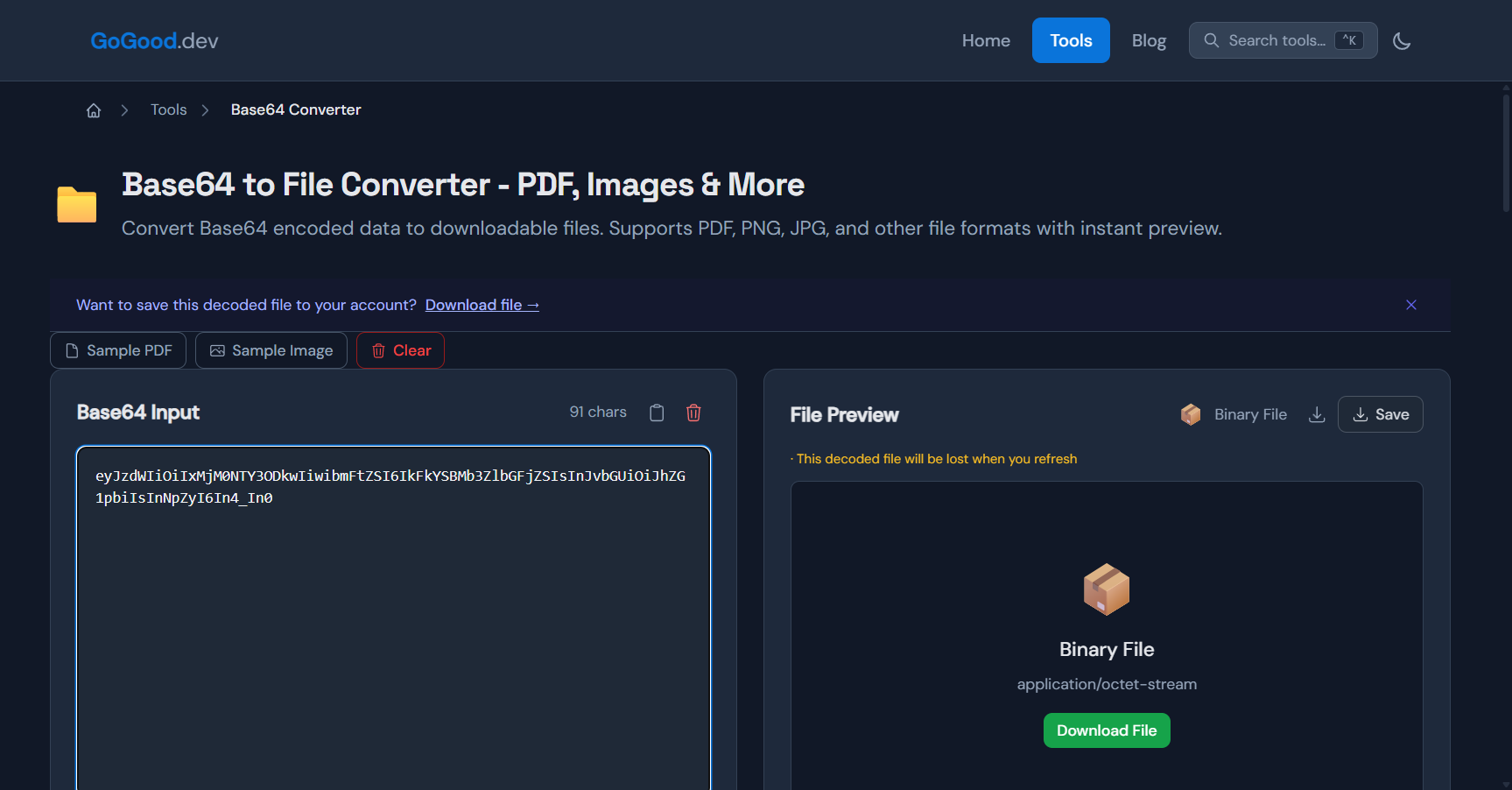
The GoGood.dev Base64 Converter does all of this automatically — it converts URL-safe characters, restores missing padding, strips data URI prefixes and whitespace, then decodes and previews the result in your browser. Here’s the exact string that made atob() throw, pasted as-is — note the _ near the end and the 91-character length (not a multiple of 4):
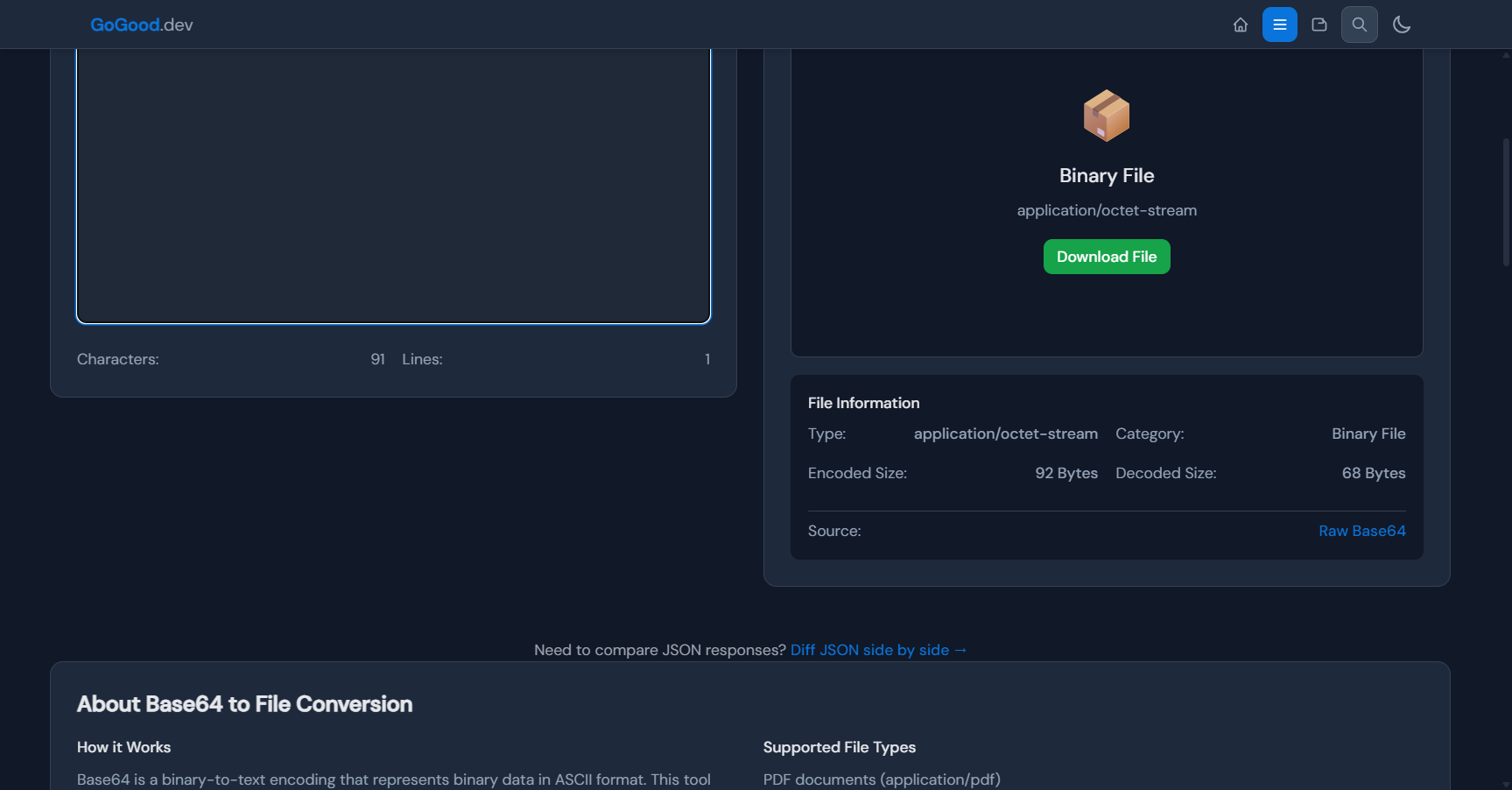
It decodes on the first try, and the file information panel confirms what happened — 92 encoded bytes became 68 decoded bytes, no errors:
Nothing is uploaded, so it’s safe for tokens and internal payloads. If the converter also rejects your string, the data itself is truncated or not Base64 at all.
FAQ
Why does atob() throw InvalidCharacterError on a JWT?
JWT segments use the URL-safe alphabet (- and _) with no padding, and atob() only accepts the standard alphabet with correct padding. Convert the characters and re-pad first, or use a JWT-aware tool.
Is URL-safe Base64 a different encoding?
No — the encoded bytes are identical. Only two characters in the output alphabet differ (- for +, _ for /), plus the convention of dropping = padding.
Can I just always add two equals signs?
No. Add exactly enough to reach a multiple of 4: zero, one, or two. If you’d need three, the string lost characters somewhere — go back to the source.
My string decodes but the output is garbage. Same problem?
Probably not — that’s usually a truncated copy, a stripped data URI, or decoding the wrong field entirely. See Why Your Base64 PDF Is Corrupted for that checklist.
Once you know the pattern, this bug takes ten seconds to fix: -_ means URL-safe, wrong length means missing padding. Normalize both and any decoder will take it — or paste it into the Base64 Converter and let it normalize for you.
Related: Base64 Encode and Decode Explained · How to Decode Base64 in the Browser · Reading JWT Payloads in the Browser · When to Use Base64