URL Encode vs URL Decode: When and Why
URL encode vs URL decode explained for developers — when to use encodeURIComponent vs encodeURI, how percent-encoding works, and common mistakes that break your URLs.
You’re building an API call and the query parameter contains an & — now it looks like two separate parameters. Or you’re reading a URL with %20 and %3A everywhere and need the original string. Or you pass a redirect URL as a query param and the ? inside it breaks the outer URL’s structure entirely. URL encoding is the solution to all of these, and knowing when to encode what — and which JavaScript function to use — saves you from spending an afternoon debugging a broken redirect.
This post covers what URL encoding actually does, when to encode vs decode, the difference between encodeURIComponent and encodeURI, Python equivalents, and the mistakes that cause double-encoding bugs.
TL;DR: Use
encodeURIComponent()for individual parameter values. UseencodeURI()for a full URL. To encode or decode quickly without writing code, paste any URL into GoGood.dev URL Encoder — it handles all three modes instantly.
What URL encoding is
URL encoding (also called percent-encoding) converts characters that aren’t safe in a URL into a % followed by two hexadecimal digits representing the byte value. For example, a space becomes %20, & becomes %26, and = becomes %3D.
This exists because URLs can only contain a defined set of ASCII characters directly. The safe characters — letters, digits, and a handful of symbols (-, _, ., ~) — pass through unchanged. Everything else must be encoded before it can appear in a URL without ambiguity.
The standard is defined in RFC 3986. A URL like:
https://api.example.com/search?query=hello world&filter=status:active…contains a space and a colon in the query string, both of which have special meaning in URLs. After encoding the values:
https://api.example.com/search?query=hello%20world&filter=status%3AactiveNow there’s no ambiguity — %20 is a space inside the value, not a space that breaks the URL.
URL encode vs URL decode: when to use each
Encode before putting data into a URL — specifically, before inserting a string value into a query parameter, path segment, or header where that string might contain characters that have special meaning in URLs.
Decode when you receive a URL-encoded string and need the original value — reading query parameters from an incoming request, parsing a URL string manually, or displaying a path to a user.
The practical rule: encode on the way out, decode on the way in.
Most frameworks handle decoding automatically. req.query.search in Express already gives you the decoded value. request.GET['search'] in Django is decoded. You rarely need to decode manually unless you’re parsing URLs by hand.
Encoding is where developers most often need to be deliberate.
How to URL encode in JavaScript
JavaScript has two encoding functions with different scopes, and choosing the wrong one causes subtle bugs.
encodeURIComponent — for parameter values
Encodes everything except unreserved characters (A-Z, a-z, 0-9, -, _, ., ~). This includes ?, &, =, /, :, and # — all the characters that have structural meaning in a URL.
Use this for individual parameter values:
const query = 'hello world & more';
const tag = 'status:active';
const callback = 'https://myapp.com/oauth/callback?code=abc123';

const url = `https://api.example.com/search`
  + `?query=${encodeURIComponent(query)}`
  + `&tag=${encodeURIComponent(tag)}`
  + `&callback=${encodeURIComponent(callback)}`;

// Result:
// https://api.example.com/search?query=hello%20world%20%26%20more&tag=status%3Aactive&callback=https%3A%2F%2Fmyapp.com%2Foauth%2Fcallback%3Fcode%3Dabc123
The callback URL is fully encoded — all its ?, =, and / characters become %3F, %3D, and %2F. That’s correct: it’s a value inside a query string, not a URL itself.
encodeURI — for a complete URL
Leaves structural characters intact — :, /, ?, #, &, = — because they’re needed to preserve the URL’s structure. Only encodes characters that are genuinely invalid in any part of a URL.
Use this when you have a full URL with spaces or non-ASCII characters that need cleaning up:
const rawUrl = 'https://api.example.com/search results?q=café';

encodeURI(rawUrl);
// https://api.example.com/search%20results?q=caf%C3%A9
The / and ? are untouched. Only the space and the accented character are encoded.
The wrong choice causes broken URLs:
// ❌ Wrong — encodeURI won't encode & or = so param values break
const url = `https://api.example.com/?q=${encodeURI('hello & world')}`;
// https://api.example.com/?q=hello & world  — & creates a second param

// ✅ Correct — encodeURIComponent for values
const url = `https://api.example.com/?q=${encodeURIComponent('hello & world')}`;
// https://api.example.com/?q=hello%20%26%20world
Decoding
decodeURIComponent('hello%20world%20%26%20more');
// 'hello world & more'

decodeURI('https://api.example.com/search%20results?q=caf%C3%A9');
// 'https://api.example.com/search results?q=café'
How to URL encode in Python
Python’s urllib.parse module has two functions that parallel JavaScript’s pair:
from urllib.parse import quote, quote_plus, unquote, urlencode

# quote() — like encodeURIComponent
# Encodes everything except letters, digits, and _.-~
query = 'hello world & more'
print(quote(query))
# hello%20world%20%26%20more

# quote_plus() — encodes space as + instead of %20
# Used for application/x-www-form-urlencoded (HTML form submissions)
print(quote_plus(query))
# hello+world+%26+more

# Building a query string — use urlencode()
params = {
    'query': 'hello world',
    'tag': 'status:active',
    'callback': 'https://myapp.com/oauth/callback?code=abc123'
}
from urllib.parse import urlencode
print(urlencode(params))
# query=hello+world&tag=status%3Aactive&callback=https%3A%2F%2Fmyapp.com%2Foauth%2Fcallback%3Fcode%3Dabc123

# Decoding
print(unquote('hello%20world%20%26%20more'))
# 'hello world & more'
urlencode() is the safest way to build query strings in Python — it handles all the encoding and joins parameters with & correctly.
Using an online URL encoder
When you’re debugging a malformed URL or need to quickly check what a string looks like encoded, pasting it into a visual tool is faster than writing a one-liner.
GoGood.dev URL Encoder supports three modes: Component (encodes everything, like encodeURIComponent), Full URL (preserves structure, like encodeURI), and Query String (uses + for spaces, like quote_plus):
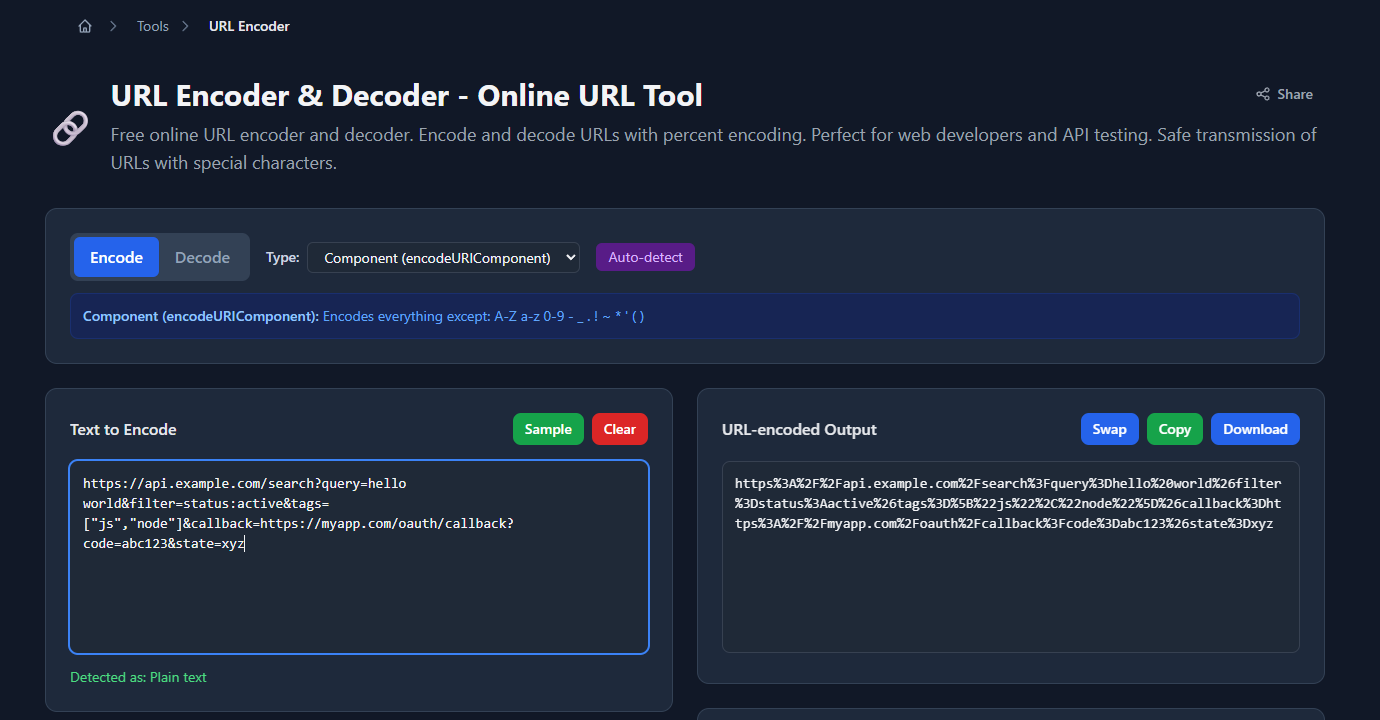
The encoded output appears immediately below, ready to copy:
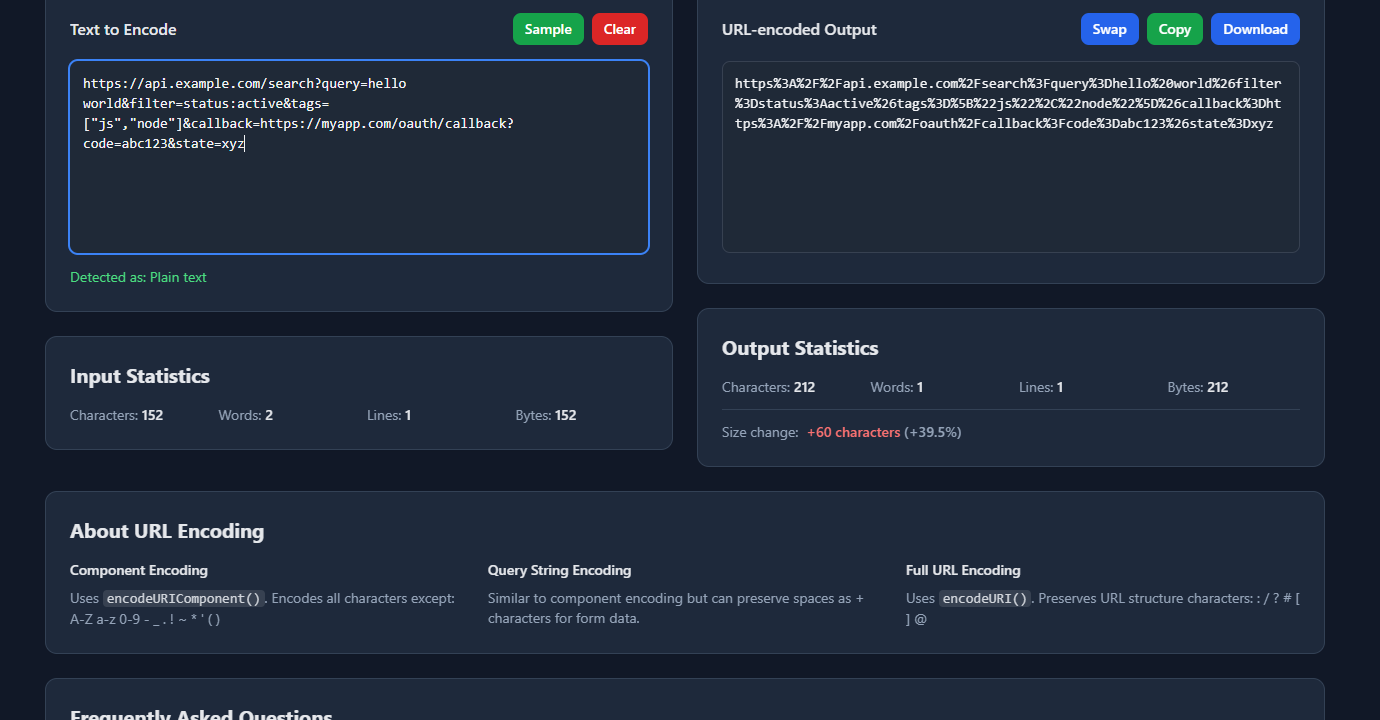
This is useful for validating that your encoding logic matches what the server expects — paste the same string into both your code and the tool and compare.
Common URL encoding mistakes
Double-encoding
The most common bug. You encode a value, then pass the encoded string through another encoding step:
const value = 'hello world';
const encoded = encodeURIComponent(value);  // 'hello%20world'
const doubleEncoded = encodeURIComponent(encoded);  // 'hello%2520world'
%25 is the encoding for %, so %20 becomes %2520. The server decodes it once and gets hello%20world — the literal string, not the space. Fix: only encode raw values, never pre-encoded strings.
+ vs %20 for spaces
There are two conventions:
- RFC 3986 (URLs): space →
%20 - application/x-www-form-urlencoded (HTML forms): space →
+
JavaScript’s encodeURIComponent always uses %20. HTML form submissions use +. Most servers handle both, but if you’re integrating with a strict API, check which convention it expects. In Python, quote() produces %20 and quote_plus() produces +.
Encoding the full URL instead of just the value
// ❌ Wrong — encodes the whole URL, destroying its structure
const badUrl = encodeURIComponent('https://api.example.com/users?id=123');
// 'https%3A%2F%2Fapi.example.com%2Fusers%3Fid%3D123'
// This is now a string, not a navigable URL

// ✅ Correct — only encode the value going into a parameter
const url = `https://my.app/redirect?target=${encodeURIComponent('https://api.example.com/users?id=123')}`;
Not encoding non-ASCII characters
Characters outside the ASCII range (accented letters, emoji, CJK characters) must be encoded as their UTF-8 byte sequences. encodeURIComponent and Python’s quote() handle this correctly. Manual string replacement with a lookup table usually doesn’t.
encodeURIComponent('café');  // 'caf%C3%A9'
encodeURIComponent('🚀');   // '%F0%9F%9A%80'
FAQ
What’s the difference between encodeURIComponent and encodeURI?
encodeURIComponent encodes everything except unreserved characters — including ?, &, =, /, and :. Use it for parameter values. encodeURI leaves structural URL characters intact and only encodes characters that are invalid in any URL position. Use it for a complete URL that just needs cleanup (spaces, non-ASCII). When in doubt, use encodeURIComponent.
When should I URL decode manually?
Rarely. Most web frameworks decode query parameters automatically before they reach your handler (req.query, request.GET, @RequestParam). Decode manually when parsing URL strings yourself, reading location.search without a helper library, or processing encoded values from a database or log.
Why does my URL have %20 in some places and + in others?
Two different encoding conventions. %20 is RFC 3986 percent-encoding (used by encodeURIComponent and most API clients). + is the application/x-www-form-urlencoded convention used by HTML form submissions. Both represent a space. If you’re seeing mixed results, one side is using form encoding and the other is using URI encoding.
Is URL encoding the same as Base64 encoding?
No. URL encoding converts characters to %XX sequences so they’re safe in a URL. Base64 encoding converts binary data to a text representation using 64 printable characters — it’s used for encoding binary data in emails, data URIs, and API payloads. They serve different purposes. For Base64, see Base64 Encode and Decode Explained for Developers.
How do I URL encode in a shell script?
# Using Python (available everywhere)
python3 -c "import urllib.parse; print(urllib.parse.quote('hello world & more'))"
# hello%20world%20%26%20more

# Using curl's --data-urlencode (for form data)
curl -G https://api.example.com/search \
  --data-urlencode "query=hello world" \
  --data-urlencode "filter=status:active"
URL encoding is one of those foundational web mechanics that’s invisible when it works and cryptic when it doesn’t. The rule is straightforward: encode individual values with encodeURIComponent (or quote()), build the URL structure around them, and let the framework decode on the receiving end. The only time it gets complicated is when you try to encode a full URL as a value — which is correct behavior, just needs the right function.
For more encoding topics: Base64 Encode and Decode Explained for Developers covers the encoding format used for binary data and authentication headers, and How to Decode Base64 in the Browser shows the browser-native APIs alongside online tools.