Unix Timestamp to Human Date: A Developer's Reference
Convert Unix timestamps to human-readable dates and back — JavaScript, Python, SQL, command line. Covers seconds vs milliseconds, timezones, and common timestamp bugs.
You’re reading a log file, an API response, or a database record, and you see 1705311821. You know it’s a Unix timestamp. You need to know what date it is. Or you’re writing a query and you need to filter by date range, which means converting a human date back to a timestamp. Or you’re debugging an auth token and the exp claim is a number you need to decode.
Unix timestamps are the lingua franca of time in backend systems — every language, database, and API uses them. This reference covers every conversion you’ll need: timestamp to human date, human date to timestamp, how to handle milliseconds vs seconds, and the timezone mistakes that make timestamps report the wrong time.
TL;DR: Paste any Unix timestamp into GoGood.dev Timestamp Converter to see the human-readable date in any timezone. For code:
new Date(timestamp * 1000)in JavaScript,datetime.fromtimestamp(timestamp)in Python.
What Unix timestamps are
A Unix timestamp is the number of seconds elapsed since January 1, 1970, 00:00:00 UTC — the Unix epoch. It’s timezone-independent: 1705311821 refers to the same moment everywhere in the world, regardless of the local clock.
1705311821 seconds after 1970-01-01 00:00:00 UTC
= 2024-01-15 09:23:41 UTC
= 2024-01-15 04:23:41 EST (UTC-5)
= 2024-01-15 17:23:41 JST (UTC+9)
The timezone only comes in when converting to human-readable form. The timestamp itself is always UTC-based.
Seconds vs milliseconds: Most systems use 10-digit timestamps (seconds). JavaScript’s Date.now() and many modern APIs use 13-digit timestamps (milliseconds). A 13-digit number that looks like a timestamp is almost certainly milliseconds.
1705311821     → seconds (10 digits) → 2024-01-15
1705311821000  → milliseconds (13 digits) → same moment
Convert Unix timestamp to human date online
GoGood.dev Timestamp Converter shows the current timestamp in real time and converts between formats:
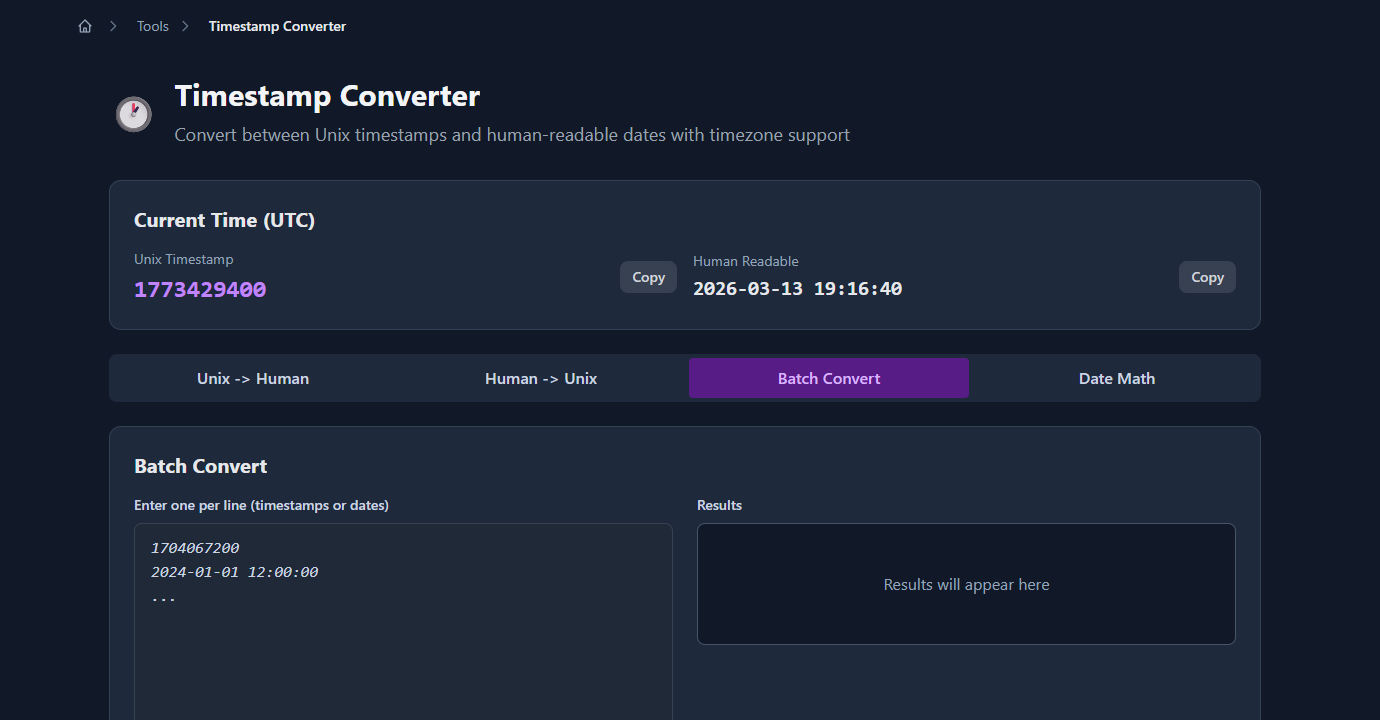
The “Unix → Human” tab converts any timestamp to a readable date in your chosen timezone. Paste the 10- or 13-digit timestamp and select the timezone:
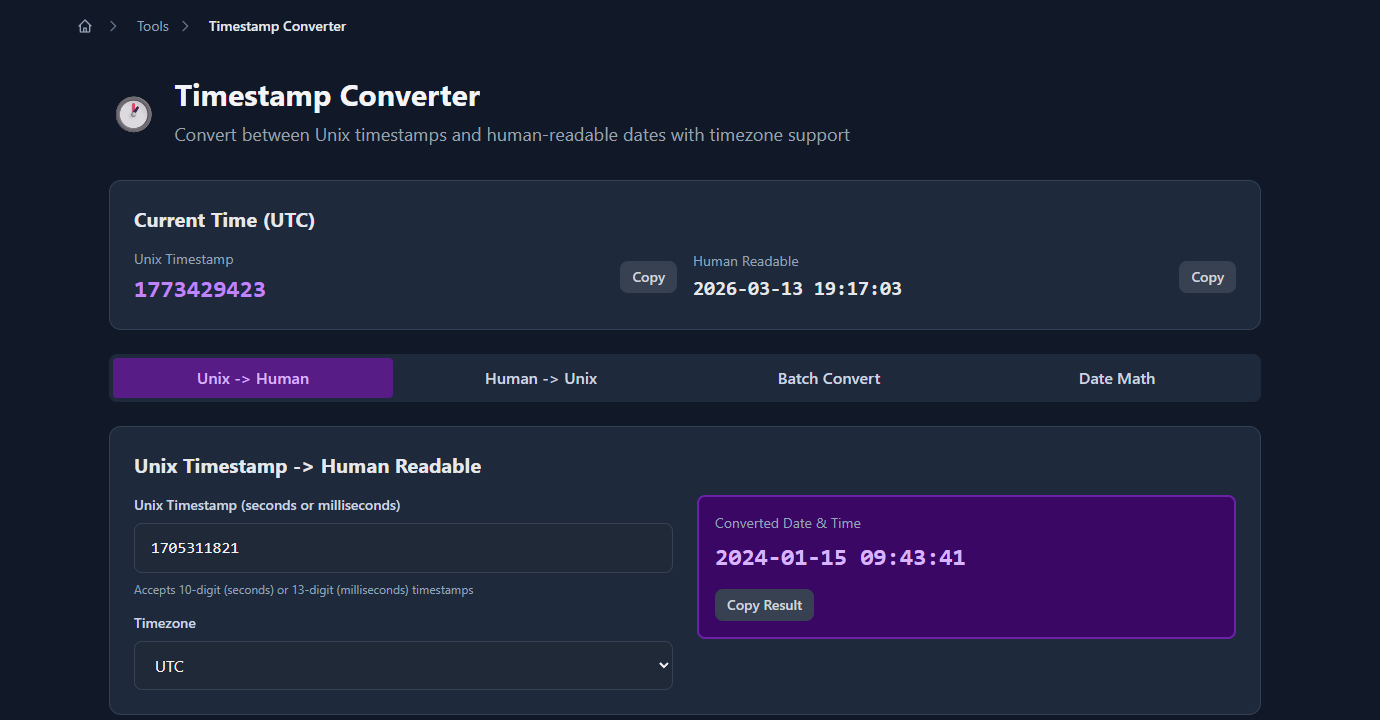
The converter auto-detects whether the input is seconds or milliseconds based on the number of digits.
Convert Unix timestamp in JavaScript
// Timestamp (seconds) to Date object
const timestamp = 1705311821;
const date = new Date(timestamp * 1000);  // multiply by 1000 — JS uses milliseconds

// Human-readable output
console.log(date.toISOString());
// '2024-01-15T09:23:41.000Z'

console.log(date.toLocaleString('en-US', { timeZone: 'America/New_York' }));
// '1/15/2024, 4:23:41 AM'

console.log(date.toLocaleString('en-US', { timeZone: 'Asia/Tokyo' }));
// '1/15/2024, 6:23:41 PM'

// If timestamp is already milliseconds (13 digits)
const tsMs = 1705311821000;
const dateMs = new Date(tsMs);  // no multiplication needed

// Current timestamp in seconds
const nowSeconds = Math.floor(Date.now() / 1000);

// Current timestamp in milliseconds
const nowMs = Date.now();
Format a timestamp without a library:
function formatTimestamp(unixSeconds, timeZone = 'UTC') {
  return new Date(unixSeconds * 1000).toLocaleString('sv-SE', {
    timeZone,
    year: 'numeric',
    month: '2-digit',
    day: '2-digit',
    hour: '2-digit',
    minute: '2-digit',
    second: '2-digit'
  }).replace('T', ' ');
}

formatTimestamp(1705311821, 'UTC');
// '2024-01-15 09:23:41'

formatTimestamp(1705311821, 'America/Los_Angeles');
// '2024-01-15 01:23:41'
With date-fns (recommended for production):
import { fromUnixTime, format, formatDistanceToNow } from 'date-fns';
import { toZonedTime } from 'date-fns-tz';

const date = fromUnixTime(1705311821);

format(date, 'yyyy-MM-dd HH:mm:ss');
// '2024-01-15 09:23:41'

formatDistanceToNow(date, { addSuffix: true });
// '3 months ago'
Convert Unix timestamp in Python
from datetime import datetime, timezone, timedelta

timestamp = 1705311821

# UTC
dt_utc = datetime.fromtimestamp(timestamp, tz=timezone.utc)
print(dt_utc.isoformat())
# '2024-01-15T09:23:41+00:00'

print(dt_utc.strftime('%Y-%m-%d %H:%M:%S'))
# '2024-01-15 09:23:41'

# Specific timezone (using zoneinfo — Python 3.9+)
from zoneinfo import ZoneInfo

dt_eastern = datetime.fromtimestamp(timestamp, tz=ZoneInfo('America/New_York'))
print(dt_eastern.strftime('%Y-%m-%d %H:%M:%S %Z'))
# '2024-01-15 04:23:41 EST'

dt_tokyo = datetime.fromtimestamp(timestamp, tz=ZoneInfo('Asia/Tokyo'))
print(dt_tokyo.strftime('%Y-%m-%d %H:%M:%S %Z'))
# '2024-01-15 18:23:41 JST'

# Human date back to timestamp
dt = datetime(2024, 1, 15, 9, 23, 41, tzinfo=timezone.utc)
unix_ts = int(dt.timestamp())
print(unix_ts)
# 1705311821

# Current timestamp
import time
now = int(time.time())
Millisecond timestamps in Python:
# Milliseconds to datetime
ts_ms = 1705311821000
dt = datetime.fromtimestamp(ts_ms / 1000, tz=timezone.utc)

# Current time in milliseconds
import time
now_ms = int(time.time() * 1000)
Convert Unix timestamp in SQL
PostgreSQL:
-- Timestamp to human date
SELECT to_timestamp(1705311821);
-- 2024-01-15 09:23:41+00

SELECT to_timestamp(1705311821) AT TIME ZONE 'America/New_York';
-- 2024-01-15 04:23:41

-- With timezone column
SELECT to_timestamp(1705311821)::timestamptz;

-- Human date to timestamp
SELECT EXTRACT(EPOCH FROM '2024-01-15 09:23:41'::timestamp AT TIME ZONE 'UTC')::bigint;
-- 1705311821

-- Filter rows by timestamp range (last 24 hours)
SELECT * FROM events
WHERE created_at >= EXTRACT(EPOCH FROM NOW() - INTERVAL '24 hours')::bigint;
MySQL:
-- Timestamp to human date
SELECT FROM_UNIXTIME(1705311821);
-- '2024-01-15 09:23:41'

SELECT FROM_UNIXTIME(1705311821, '%Y-%m-%d %H:%i:%s');
-- '2024-01-15 09:23:41'

-- Human date to timestamp
SELECT UNIX_TIMESTAMP('2024-01-15 09:23:41');
-- 1705311821
SQLite:
-- SQLite stores timestamps as integers
SELECT datetime(1705311821, 'unixepoch');
-- '2024-01-15 09:23:41'

SELECT datetime(1705311821, 'unixepoch', 'localtime');
-- local time

SELECT strftime('%Y-%m-%d', 1705311821, 'unixepoch');
-- '2024-01-15'

-- Unix timestamp to SQLite datetime
SELECT strftime('%s', '2024-01-15 09:23:41');
-- '1705311821'
Command line conversion
# Linux/macOS — timestamp to date
date -d @1705311821          # Linux
date -r 1705311821           # macOS

# Specific format
date -d @1705311821 '+%Y-%m-%d %H:%M:%S'  # Linux
date -r 1705311821 '+%Y-%m-%d %H:%M:%S'  # macOS

# Current timestamp
date +%s

# Human date to timestamp
date -d '2024-01-15 09:23:41 UTC' +%s  # Linux
date -j -f '%Y-%m-%d %H:%M:%S' '2024-01-15 09:23:41' +%s  # macOS

# Python one-liner
python3 -c "from datetime import datetime, timezone; print(datetime.fromtimestamp(1705311821, tz=timezone.utc))"
Common timestamp mistakes
Forgetting to multiply by 1000 in JavaScript
JavaScript’s Date constructor takes milliseconds, not seconds. Passing a seconds timestamp directly gives you a date in 1970:
// ❌ Wrong — treats seconds as milliseconds
new Date(1705311821)
// Thu Jan 01 1970 473977:51 ...  (somewhere in 1970)

// ✅ Correct
new Date(1705311821 * 1000)
// Mon Jan 15 2024 09:23:41 UTC
Using datetime.fromtimestamp() without a timezone in Python
Without a tz argument, Python interprets the timestamp in the local system timezone. This is fine locally but unpredictable in CI, Docker containers, or cloud functions where the system timezone may be UTC or something unexpected:
# ❌ Depends on system timezone — breaks in CI
datetime.fromtimestamp(1705311821)

# ✅ Always explicit
datetime.fromtimestamp(1705311821, tz=timezone.utc)
Storing millisecond timestamps in a column sized for seconds
A 10-digit integer fits in a 32-bit int (max ~2 billion). A 13-digit millisecond timestamp requires a 64-bit bigint. If you accidentally store milliseconds in a 32-bit column, values overflow and the date looks like 1970. Always use BIGINT for millisecond timestamps.
The year 2038 problem
32-bit signed integers overflow at Unix timestamp 2147483647 — January 19, 2038, 03:14:07 UTC. Systems that store timestamps as 32-bit signed integers will break at that point. Use 64-bit integers or a proper timestamp type in any new system.
FAQ
What is a Unix timestamp?
The number of seconds since January 1, 1970, 00:00:00 UTC. It’s timezone-independent — the same number represents the same moment everywhere. To convert to a human date, you add the timezone offset for display only. The timestamp itself always references UTC.
How do I know if a timestamp is seconds or milliseconds?
Count the digits. A 10-digit number is seconds (covers dates from 1970 to ~2286). A 13-digit number is milliseconds. A 16-digit number is microseconds. If you’re unsure, check if the resulting date makes sense — a millisecond timestamp treated as seconds gives you a date far in the future.
What’s the current Unix timestamp?
In JavaScript: Math.floor(Date.now() / 1000). In Python: int(time.time()). On Linux/macOS: date +%s. At the time this post was written, the Unix timestamp was around 1,743,000,000 (April 2026). It increases by 1 every second.
How do I convert a Unix timestamp to a specific timezone?
The timestamp is always UTC. To display in a local timezone, convert using your language’s timezone API: new Date(ts * 1000).toLocaleString('en-US', { timeZone: 'America/New_York' }) in JavaScript, or datetime.fromtimestamp(ts, tz=ZoneInfo('America/New_York')) in Python. Never manually add hours to the timestamp — always use a proper timezone library.
How do I calculate the difference between two timestamps?
Subtract them (seconds timestamp minus seconds timestamp). The result is the difference in seconds. Divide by 60 for minutes, 3600 for hours, 86400 for days:
const diffSeconds = endTimestamp - startTimestamp;
const diffDays = Math.floor(diffSeconds / 86400);
const diffHours = Math.floor((diffSeconds % 86400) / 3600);
Unix timestamps are simple once you’ve internalized the seconds-vs-milliseconds distinction and the UTC-first mental model. Always store as UTC, always pass timezone at display time, and always use 64-bit integers for millisecond precision.
For related tools: Cron Expression Cheat Sheet for Developers covers scheduled jobs where timestamp math comes up constantly, and UUID v4 vs v7: Which Should You Use? covers time-ordered UUIDs that embed a timestamp directly in the ID.