JWT Claims Explained with Real Examples
JWT claims explained clearly: what iss, sub, aud, exp, nbf, iat, and jti mean, how private claims work, and how to read any token in seconds.
You get a JWT back from an auth server. You base64-decode the payload and stare at a blob of JSON: iss, sub, aud, exp, iat, jti. Some of these you vaguely recognise. Others you’ve been ignoring and hoping they don’t matter.
They matter. Misunderstand exp or aud and you’ll spend an afternoon chasing an auth bug that has a two-line fix. This is what each claim means, with real values and the specific mistakes that come up in production.
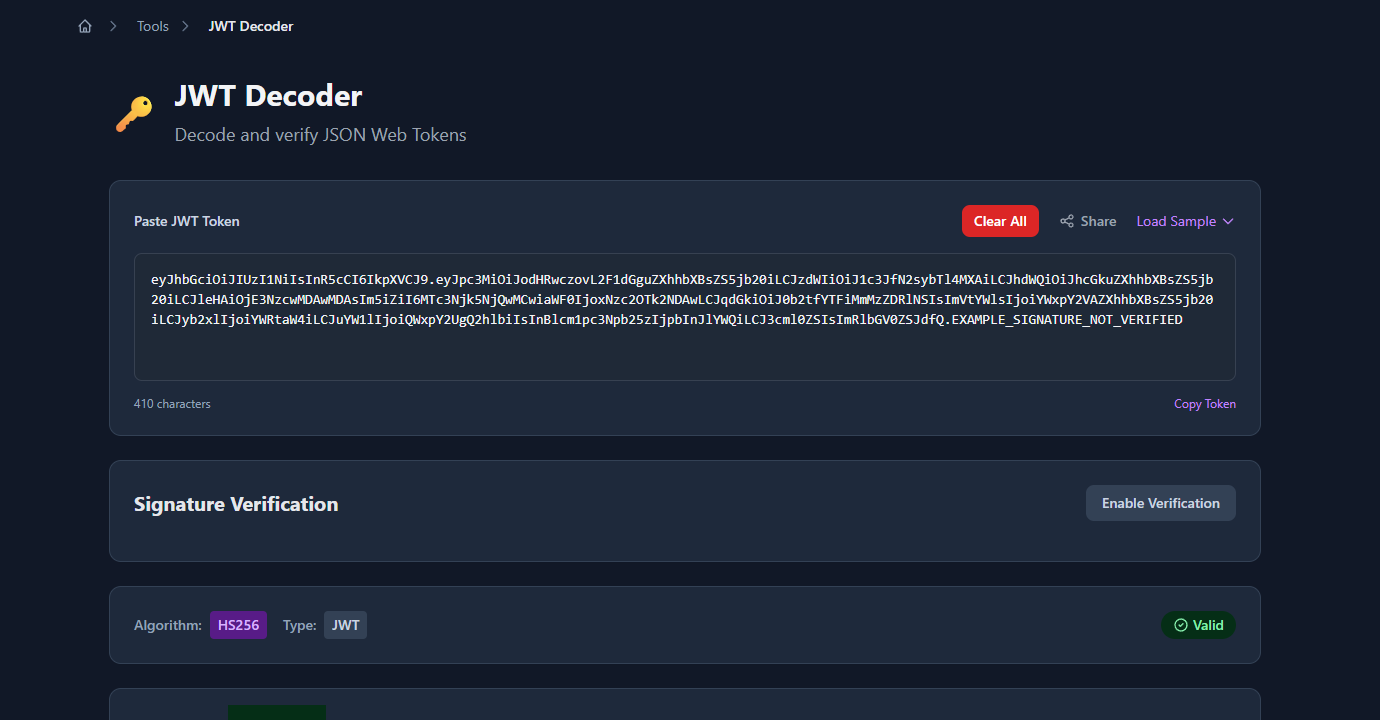
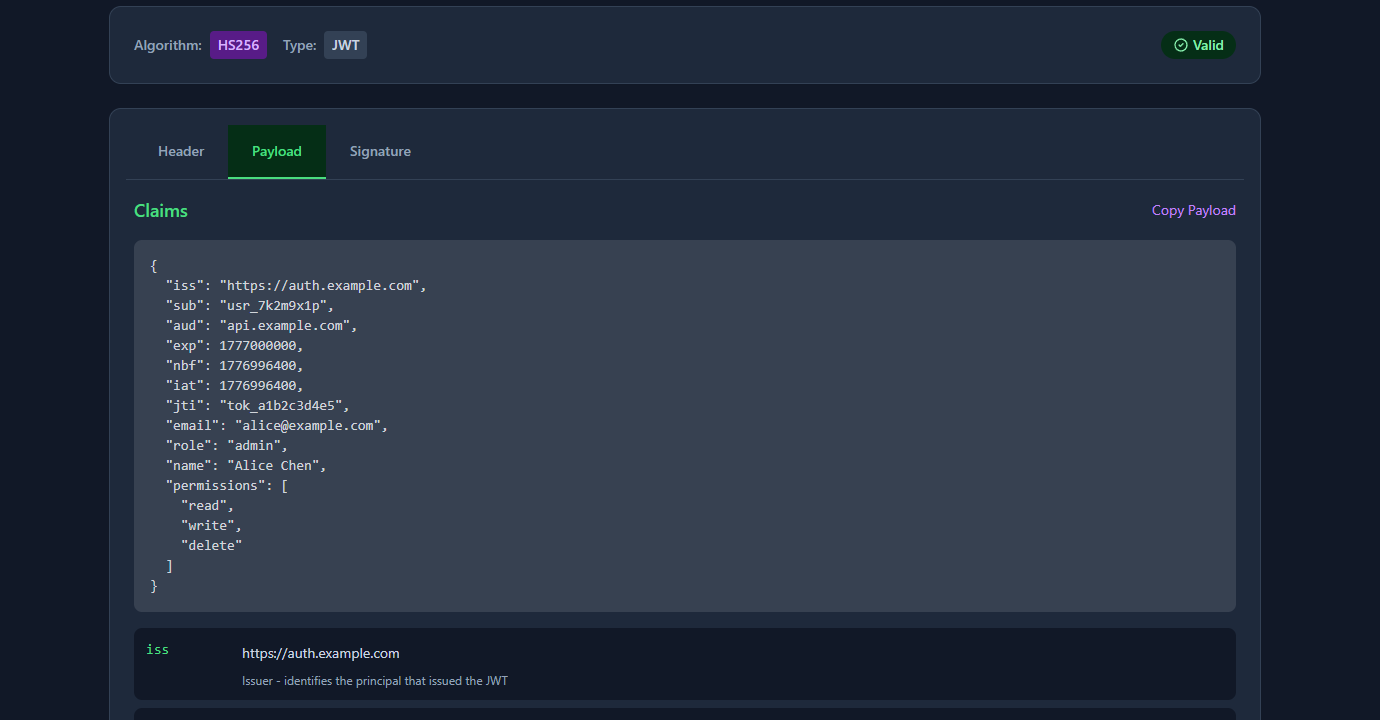
TL;DR: Paste any JWT into GoGood.dev JWT Decoder — it decodes the payload instantly and shows a human-readable description for every registered claim, including
expconverted to a real timestamp.
What are JWT claims?
A JWT (JSON Web Token) is made of three parts: a header, a payload, and a signature. The payload is a JSON object containing claims — key/value pairs that assert facts about a user, session, or request.
{
  "iss": "https://auth.example.com",
  "sub": "usr_7k2m9x1p",
  "aud": "api.example.com",
  "exp": 1777000000,
  "iat": 1776996400,
  "email": "alice@example.com",
  "role": "admin"
}
The JWT spec (RFC 7519) defines three categories of claims:
- Registered claims — a standard set with fixed names and meanings (
iss,sub,aud,exp,nbf,iat,jti) - Public claims — custom claims published in the IANA JWT registry to avoid naming collisions
- Private claims — custom claims agreed upon between the token issuer and consumer (
email,role,permissions)
Most tokens you’ll encounter use a mix of registered and private claims.
The 7 registered JWT claims explained
iss — Issuer
Who created and signed the token. Typically a URL identifying the auth server.
"iss": "https://auth.example.com"Your API should validate that iss matches the expected auth server. If you accept tokens from multiple issuers (e.g. different environments), maintain an allowlist and reject anything else.
sub — Subject
The principal the token is about — almost always a user ID. This is the canonical identifier your application should use to look up the user in your database.
"sub": "usr_7k2m9x1p"sub should be stable and unique. Never use email as a substitute for sub — email addresses change; user IDs shouldn’t.
aud — Audience
Who the token is intended for. This is the identifier of the service that should accept the token.
"aud": "api.example.com"This claim causes more auth bugs than any other. If your API doesn’t validate aud, it will accept tokens issued for a completely different service. A token issued for mobile.example.com should be rejected by api.example.com even if the signature is valid.
aud can be a single string or an array of strings when a token is intended for multiple services:
"aud": ["api.example.com", "admin.example.com"]exp — Expiration Time
Unix timestamp (seconds since epoch) after which the token must be rejected.
"exp": 1777000000The most common mistake: treating this as milliseconds. JavaScript’s Date.now() returns milliseconds; JWT timestamps are in seconds. If you compare exp against Date.now() without dividing by 1000, every token will appear valid for decades.
// ❌ Wrong — compares seconds against milliseconds
if (payload.exp < Date.now()) { throw new Error('expired'); }

// ✅ Correct
if (payload.exp < Math.floor(Date.now() / 1000)) { throw new Error('expired'); }
A small clock skew allowance (30–60 seconds) is standard practice to handle minor time differences between services.
nbf — Not Before
Unix timestamp before which the token must not be accepted. The mirror image of exp.
"nbf": 1776996400Less commonly used, but useful for pre-issuing tokens that become valid at a specific time — for example, a scheduled access grant or a time-limited download link.
iat — Issued At
Unix timestamp when the token was created. Useful for determining token age and for implementing rotation policies.
"iat": 1776996400You can use iat to enforce maximum token lifetime independently of exp:
const maxAgeSeconds = 8 * 60 * 60; // 8 hours
if (Math.floor(Date.now() / 1000) - payload.iat > maxAgeSeconds) {
  throw new Error('token too old');
}
jti — JWT ID
A unique identifier for this specific token. Used to prevent token replay attacks — once a token has been used, store its jti in a cache (with TTL matching exp) and reject any subsequent request with the same jti.
"jti": "tok_a1b2c3d4e5"jti is optional and most stateless auth flows don’t use it. It’s most relevant for one-time-use tokens (password reset links, email verification, single-use API keys).
Private and public claims in practice
Every real token you’ll encounter has both registered claims and private claims — the custom fields your auth server and API agreed on. Here’s what that looks like:
{
  "iss": "https://auth.example.com",
  "sub": "usr_7k2m9x1p",
  "exp": 1777000000,
  "iat": 1776996400,
  "email": "alice@example.com",
  "role": "admin",
  "permissions": ["read", "write", "delete"],
  "org_id": "org_abc123"
}email, role, permissions, and org_id are private claims — they’re not in the JWT spec, they’re just agreed on between the auth server and the API.
Three things that bite developers who don’t think about this:
Keep sensitive data out of the payload. JWTs are base64-encoded, not encrypted. Anyone who gets the token can read the payload without knowing the signing secret. Never put passwords, PII beyond what’s necessary, or anything you wouldn’t put in a URL query string.
Keep the payload small. Every request that uses a JWT sends the full token. Bloating the payload with large objects (full user profiles, permission trees) slows down every request and can cause issues with HTTP header size limits. Include only what the API needs to authorise the request.
Avoid mutable data in claims. If a user’s role changes after a token is issued, the token still contains the old role until it expires. Design your auth flow with this in mind — either use short-lived tokens or have a way to revoke or invalidate tokens when critical permissions change.
How to read JWT claims quickly
Paste it into GoGood.dev JWT Decoder — it shows every registered claim with a human-readable description, and converts exp, nbf, and iat from Unix timestamps to actual dates. No base64 arithmetic required.
For the command line, jq and cut get you there in one line:
# Decode the payload (no signature verification)
echo "eyJhbGciOiJIUzI1NiJ9.eyJzdWIiOiJ1c3JfMTIzIiwiZXhwIjoxNzc3MDAwMDAwfQ.sig" \
  | cut -d. -f2 \
  | base64 --decode 2>/dev/null \
  | jq .
In Node.js, decode without verifying (useful for debugging — never for actual auth):
const token = 'eyJhbGci...';
const payload = JSON.parse(
  Buffer.from(token.split('.')[1], 'base64url').toString()
);
console.log(payload);
console.log('expires:', new Date(payload.exp * 1000).toISOString());
Common problems with JWT claims
exp validation passing when it shouldn’t
Almost always the seconds-vs-milliseconds mistake. Double-check your comparison: payload.exp < Math.floor(Date.now() / 1000).
aud mismatch errors
Your JWT library is doing its job — the token’s aud doesn’t match what your API expects. Either the token was issued for the wrong audience, or your API’s expected audience string is configured incorrectly. Check both the token payload and your library’s configuration.
sub contains an email instead of an ID
Some auth providers use sub for a user ID, others use email. If yours uses an opaque ID (like usr_7k2m9x1p or a UUID), don’t try to extract an email from it — look at the private claims. If the provider uses email as sub, be aware that it changes if the user updates their email.
Missing jti when you need idempotency
One-time-use tokens (password reset, email verify) need jti and a server-side token store to prevent replay. Relying on exp alone isn’t enough — a reset link can be reused within its validity window if you don’t track jti.
FAQ
What’s the difference between JWT claims and JWT payload?
Same thing. The payload is the set of claims — “claims” is just the spec’s word for the key/value pairs in the payload JSON. You’ll see both terms used interchangeably.
Are JWT claims encrypted?
No — base64url-encoded, not encrypted. Anyone who has the token can read the claims. atob() in the browser, done. The signature proves the token wasn’t tampered with, but it doesn’t protect confidentiality. If you need the payload encrypted, look at JWE (JSON Web Encryption). Most JWTs you’ll encounter are JWS (signed, not encrypted).
Can I add any custom claims I want?
Yes, with one rule: don’t collide with registered names (iss, sub, aud, exp, nbf, iat, jti) unless you mean what those names mean. Beyond that, any valid JSON key/value pair works. Convention is to namespace private claims with your domain — https://myapp.com/role instead of just role — to avoid collisions with public claim registries.
How long should JWT expiry (exp) be?
Access tokens: 15 minutes to 1 hour is the standard range. Refresh tokens: days to weeks, but rotate them on use. The logic is simple — a short exp limits the blast radius of a stolen token. If your users complain about being logged out, the answer is better refresh token UX, not a longer access token lifetime.
Why does my JWT decoder show a different time than expected for exp?
The decoder is treating the exp value as milliseconds instead of seconds — a classic mistake. JWT timestamps are always Unix seconds; Date.now() in JavaScript returns milliseconds. A decoder that skips the ÷1000 step will show a date 1000x further in the future than it should. GoGood.dev JWT Decoder shows exp as both a human-readable timestamp and a relative time (“in 41 days”) so this is immediately obvious.
Most auth bugs have a JWT at their center. Once you can read a token’s payload without guessing — aud mismatch, exp in the past, a missing jti in a one-time flow — the problem is usually obvious. The hard part isn’t the fix; it’s knowing what to look at.
For related reading: How to Check If a JWT Token Is Expired (Without a Library) walks through the expiry check in detail, and Reading JWT Payloads in the Browser — No Code Needed covers the quickest ways to inspect a token during development.